— 24 —
REMOTE ACCESS
To Play Videos
y
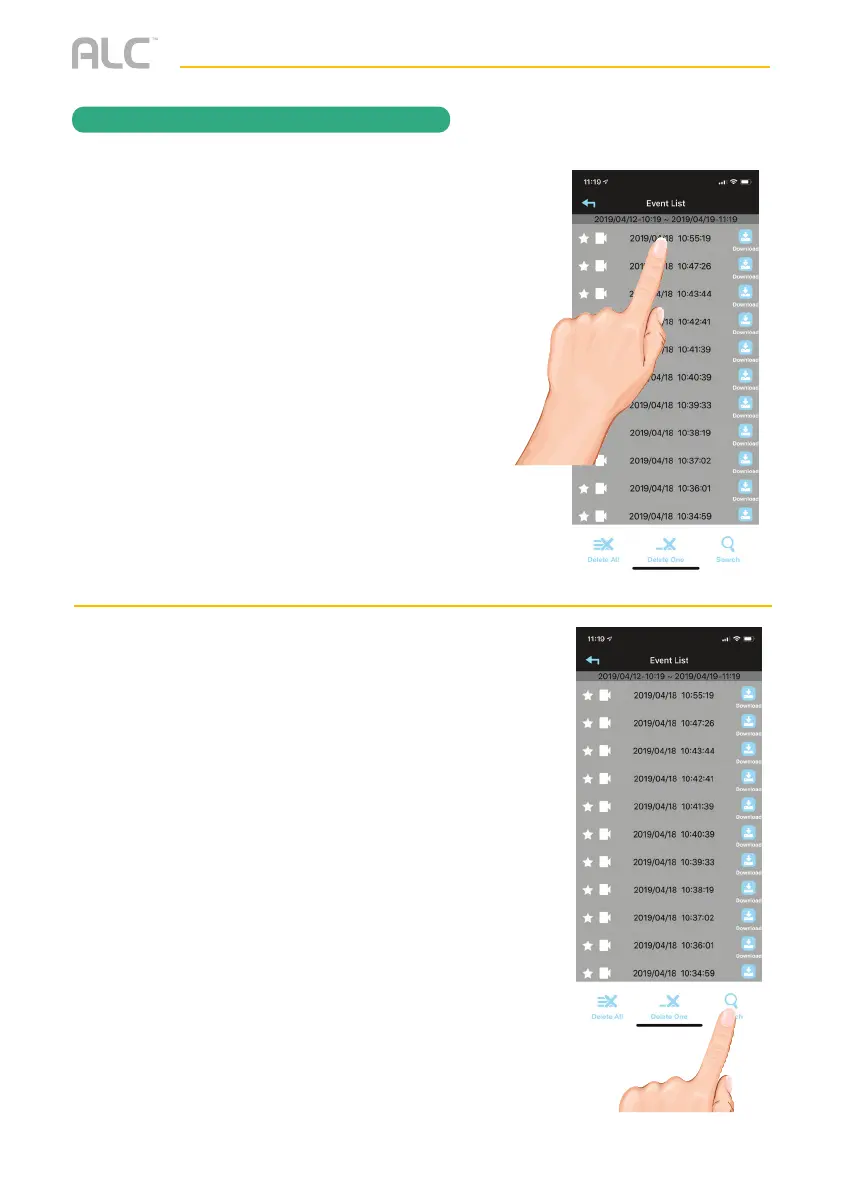
Tap the video name once to play the
video clip.
When playing back a video, tap the Pause icon
to pause the video. Tap again to resume.
To Mute, tap the Mute icon.
To take a snapshot, tap the Snapshot icon.
DOWNLOAD A VIDEO: To download a video
to your Android or Apple device, press the
Download icon and it will download to your
device.
U
To Set Display Filter: To filter the Date/
Time again, simply tap the Magnifying
Glass while in the Events List.


 To Next Page