— 39 —— 38 —
Cloud Account Setup
W
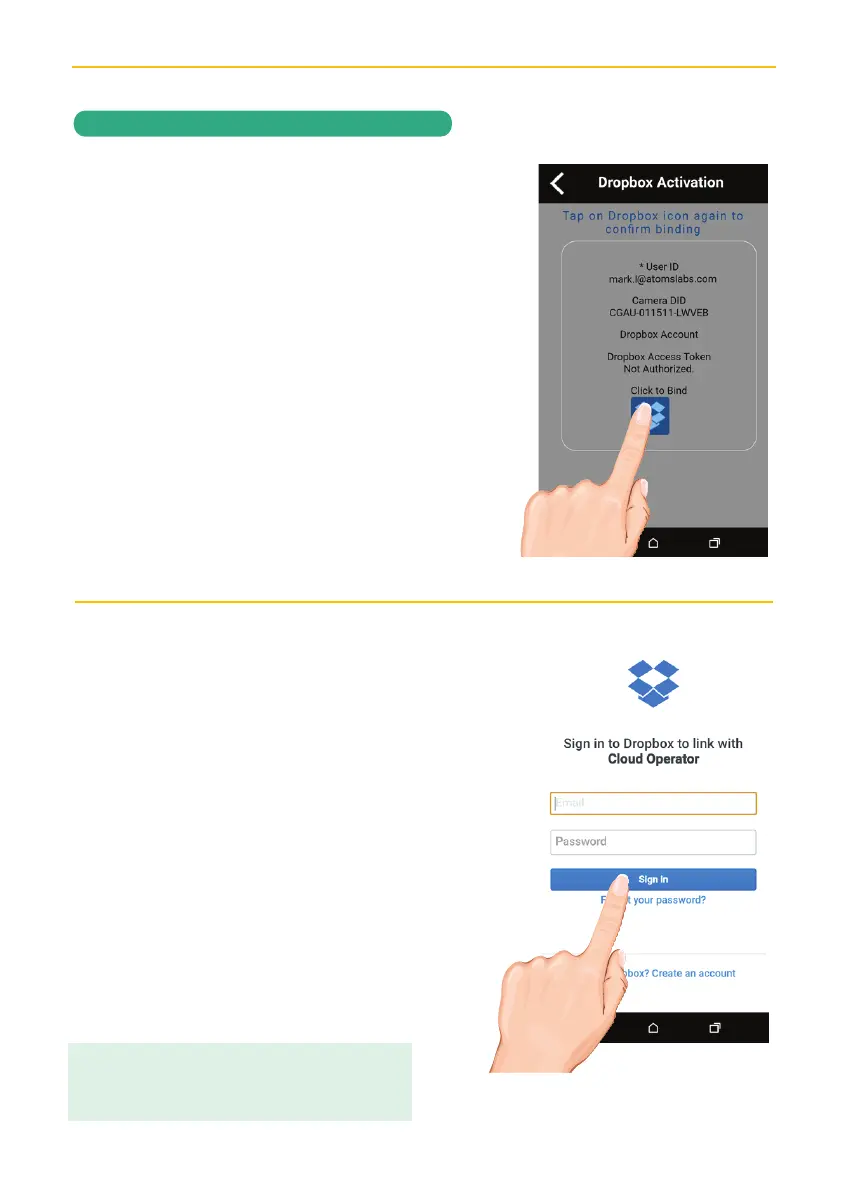
To confirm binding, tap on the
Dropbox or Google Drive icon.
X
Now, you will need to sign in onto your
Google Drive or Dropbox account.
Enter your email and password and tap
Sign in.
Congratulations! Your Cloud setup is
complete. Now you can access videos
anywhere by simply going into the
Google Drive or Dropbox website or
app.
NOTE:
Videos will automatically be saved onto
the Cloud after it has been recorded to the microSD
card and the cloud Storage is setup.
REMOTE ACCESS


 To Next Page