88
INSTALLATION ON AN ESTATE WITH SEVERAL BUILDINGS AND A
SINGLE EXTERNAL AUDIO POINT OF ENTRY
6+N+COAXIAL SYSTEM
Standard wiring diagram for electronic video door entry
installations on an estate with several estate buildings and
a single external point of entry. The external point of entry
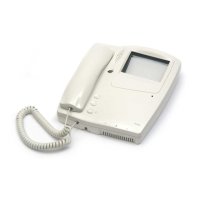
has an audio system and the internal access points to the
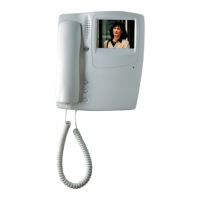
different buildings have a video system.
Operation
On a functional level this type of installation can be regar-
ded as the union of several installations each with two
points of entry. There is an entrance panel for each estate
building or apartment block at the external point of entry to
the estate. This panel, together with the entrance panel that
is on each building (internal access) are the two points of
entry or access points from where it is possible to commu-
nicate with the flats of this building. As such, it is a system
of two points of entry per building.
Define the entrance panel for each internal point of entry
for the different estate buildings as the main panel. In this
way, when the auto switch-on system is activated from the
monitor, communication (both visual and audio) is establis-
hed with the main panel of the building as this is the one
with the video unit.
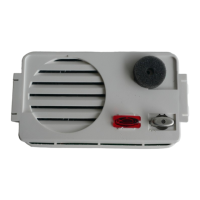
When one of the push-buttons on one of the entrance
panels is pressed, the audio unit activates the video unit
(connector 19) and generates an electronic call signal (ter-
minal 7) which is sent by the call wire to the corresponding
monitor (terminal 5). The loudspeaker of the handset of the
monitor emits a warning sound, informing the house of the
incoming call. At the same time, the visitor hears a sound,
produced by the loudspeaker of the audio unit, which con-
firms that the call to the house has been made. If the call is
made from one of the internal entrance panels, the video
unit switches on and captures the image of the visitor and
sends the video signal to the monitors (terminals V1, M). In
addition, the audio unit generates a control signal (terminal
17) which deactivates the entrance panel associated to the
entrance panel in use. If the call is made from the access
point outside the estate, then the audio unit generates a
second control signal (terminal 16) which deactivates all the
other panels of the external access point.
The monitor is activated and connected to the power
supply terminals (terminals -,+) when it receives the call. The
monitor then sends the feed voltage (terminals V1, M) to the
top output of the tap-off to which it is connected. If the call
is made from the entrance panel situated at the external
point of entry to the estate, then the monitor will not
receive any video signal and its screen will remain
blank.
Independently to the entrance panel from which the
call is made, the monitor is also connected to the com-
mon wire (2) and to the lock release wire (1). If the
handset is picked up the audio wires (3 and 4) of the
monitor are connected to the entrance panel, establis-
hing conversation with the visitor. When the lock relea-
se button of the monitor is pressed, the audio unit detects
the closing of the lock release circuit (terminal 1 to
ground). The audio unit then sends an alternate voltage
(terminals 11 and 12) to the electric lock, permitting the
opening of the door.
All the signals are closed through the common wire
(terminal 2) of the monitor and of the audio unit.
Time settings established by the audio unit of the
entrance panel from which the call is made:
Time limit to answer the call 30 seconds
Time for conversation 60 seconds or until the handset
is replaced
When either of the two time settings expire the audio
unit eliminates the control signal (17) and (16), and all
the entrance panels return to stand-by status.
Auto switch-on
When the auto switch-on button is depressed and
always providing that another monitor is not active, the
monitor is activated and enters into communication with
the entrance panel defined as the main panel. The
audio unit of the main panel does not generate the con-
trol voltage so it is possible to make a call from any of
the panels.
Time settings for the audio unit 30 seconds or until the
handset is replaced.


 To Next Page
 Loading...