5.- Customize Your Phone Set ( Contd’)
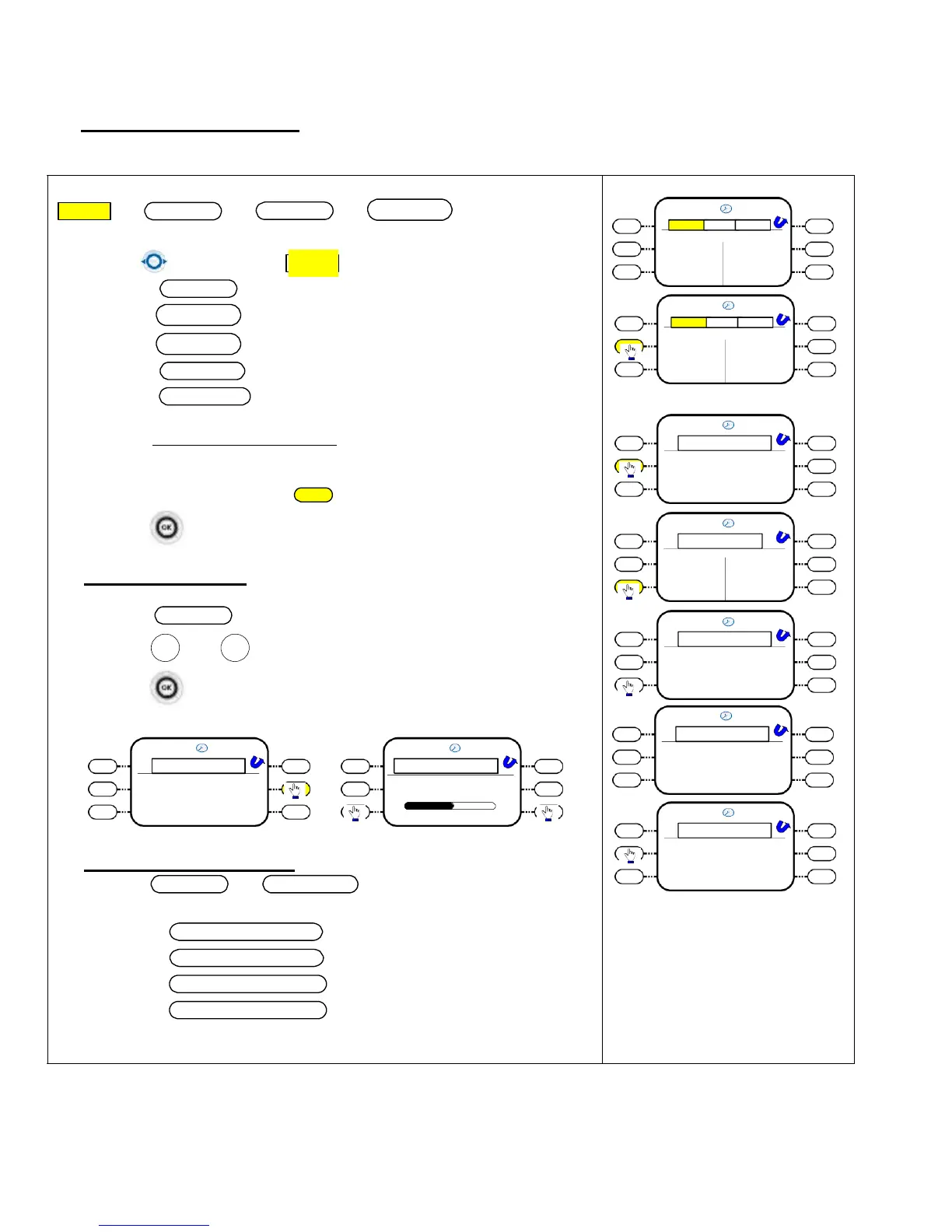
5.1.1.2 - Adjust Ringing Melody and volume
Menu
Settings
Phone
Ringing
16/08/07 16:10
Menu Perso Info
Use Navigator key to
Menu
profile
Select
Settings
Settings
Appoint
Redial List
Lock
Select
My
Phone
16/08/07 16:10
Menu
Perso Info
Select
Ringing
Select
Internal Call
for internal melody
External Call
for internal melody
Settings
Appoint
Redial List
Lock
(e.g.) Internal call melody selection
16/08/07 16:10
Settings
Select the Melody from the Pull-down Menu
My phone
My services
Press corresponding melody
Key
key to select melody
Press to validate.
Par
J
a
a
m
c
e
k
ter
p
s
lug
16/08/07 16:10
Settings
To Adjust Volume Level
Key programs
Ringing
Language
Password
Press
Volume
+ -
16/08/07 16:10
Ringing
User and to adjust level .
Internal Call
Ext
J
e
a
rn
c
a
k
l C
p
all
g
Volume
More
Press to validate.
16/08/07 16:10
Ringing
16/08/07 16:10
Ringing Level
16/08/07 16:10
Internal Call
Cold River
Dis
J
c
a
o
ck plug
Internal Call
Ext
J
e
a
rn
c
a
k
l C
p
all
g
Volume
More
Ringing Level
- Jack plug
+
16/08/07 16:10
Internal Call
Additional ringing options :-
Press
More
key
More Option
or for addition ringing options
4 choices are available for selection “-
Silent Mode
Progressive ringing
1 beep before
ringing
3 beep before
ringing
Cold River
Dis
J
c
a
o
ck plug














 To Next Page