2.- Basic Call Feature (cont’d)
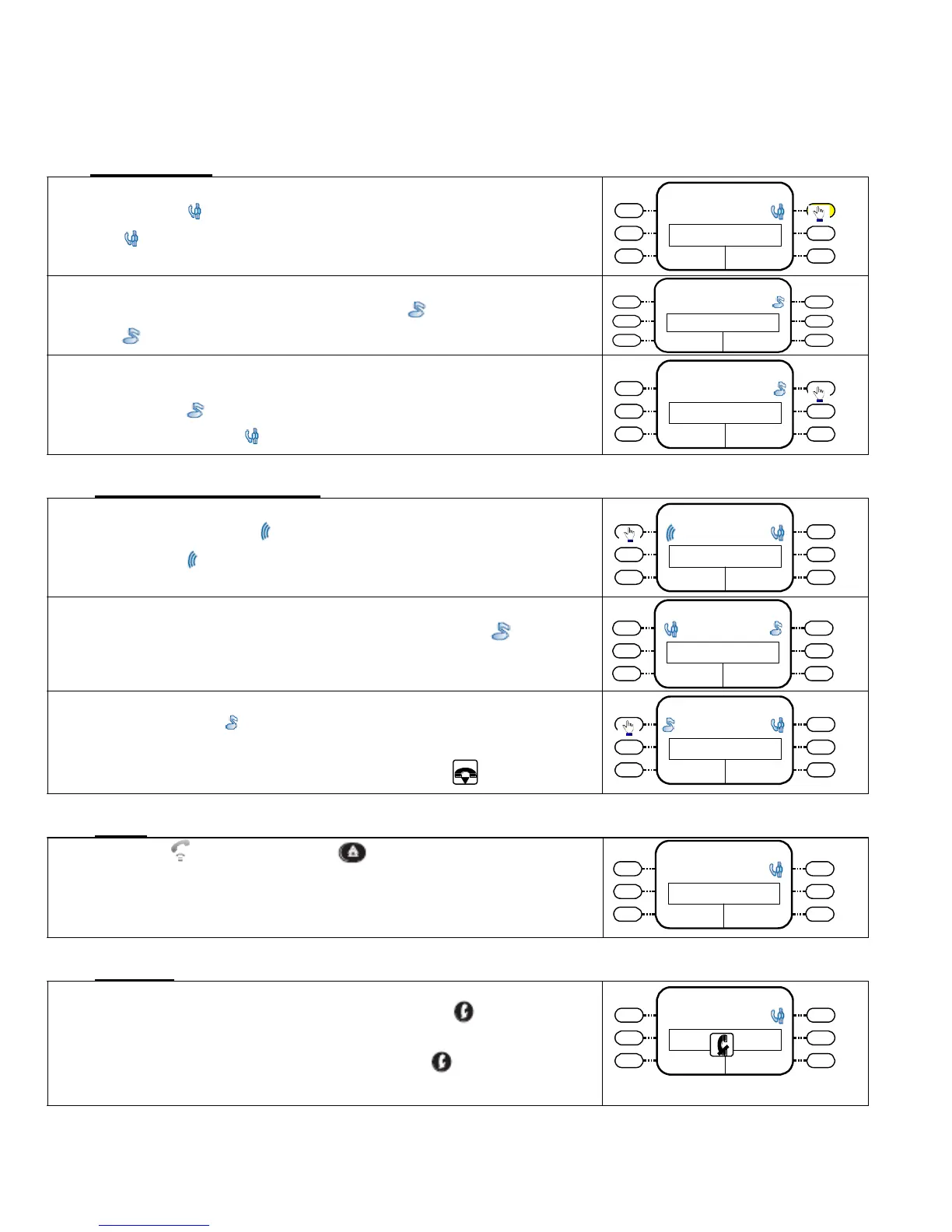
2.3 - To Hold a Call
Press the icon key once
[ ] – indicates you are in conversation
16/08/07 16:10
John Whix 3200
Conversation 00:20
Enquiry
The call is held and the icon change to
[ ] – indicates a call is on hold
16/08/07
16:10
John Whix 3200
On
Hold
To retrieve the call again
Press the icon key once . .
Icon changed to . Conversation is re-established.
2.4 - To Handle 2
nd
Incoming call
While you are in conversation , a 2
nd
call arrives on your set
and is indicated by on an icon key .
Press the icon to answer the waiting call
16/08/07 16:10
John Whix 3200
On Hold
16/08/07 16:10
Mary Cline 94121123
Calling
Silent
Take
Call
The 1
st
call will be automatically placed on Hold ( )
You can alternatively talk to either party by pressing the
corresponding with the other party automatically placed on
hold
To terminate the call , replace Handset or Press key.
16/08/07 16:10
Mary Cline 94121123
Conversation 00:01
Enquiry
16/08/07 16:10
John Whiz 3200
Conversation 10:10
Enquiry
2.5 - Redial
Lift up handset and press key once ,
the system will dial the last stored number for you
16/08/07 16:10
22310811
2.6 - Mute Key
During conversation , you can temporarily disable the
microphone on your handset by pressing the key so that you
voice will not transmitter to the other party .
16/08/07 16:10
Lily Kwan 3333
Conversation 10:20
To enable to microphone again , Press the key once.
New Call
Park Call














 To Next Page