EasyManua.ls Logo

Alcatel-Lucent IP Touch 4008 - User Manual

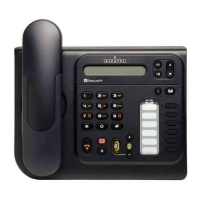
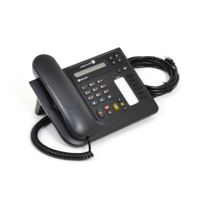
Alcatel-Lucent IP Touch 4008
12 pages
Print Icon
To Next Page IconTo Next Page
Loading...
Version: 20081216
IP Touch 4008
Basic User Training Guide

Other manuals for Alcatel-Lucent IP Touch 4008

Questions and Answers

  • D
    Darren WatkinsSep 9, 2025
    Why does my Alcatel-Lucent IP Touch 4008 IP Phone display 'DOWNLOAD FORCED'?
    • L
      lpadillaSep 9, 2025
      If your Alcatel-Lucent IP Phone displays 'DOWNLOAD FORCED', it means that a download was forced because resources are missing. Check your resources files.
  • G
    Gregory LopezSep 12, 2025
    What does 'NOT COMPATIBLE' mean on my Alcatel-Lucent IP Touch 4008?
    • D
      Diana DiazSep 12, 2025
      If your Alcatel-Lucent IP Phone displays 'NOT COMPATIBLE', it means that the downloaded version is not compatible with the terminal hardware. Check your hardware.
  • J
    Jessica MooreSep 14, 2025
    Why does Alcatel-Lucent IP Phone show '802.1x Auth Failed'?
    • M
      morgan44Sep 14, 2025
      If your Alcatel-Lucent IP Phone displays '802.1x Auth Failed', it indicates an authentication failure. This can occur because the RADIUS server is unreachable, access is refused on the RADIUS server, or the terminal has incorrect login credentials (username and/or password).
  • J
    jasonhardinSep 16, 2025
    What does 'NO MAC ADDRESS' mean on Alcatel-Lucent IP Touch 4008 IP Phone?
    • J
      Jennifer EvansSep 16, 2025
      If your Alcatel-Lucent IP Phone displays 'NO MAC ADDRESS', it means that no Ethernet MAC address is stored in flash memory.

Summary

IP Touch 4008 Phone Overview

Making Internal Calls on IP Touch 4008

Making External Calls on IP Touch 4008

Using Handset and Speakerphone Functions

Microphone Mute Functionality

How to mute and unmute the microphone during active calls for privacy.

Redialing Last and Previous Numbers

Placing and Retrieving Calls on Hold

Answering a Second Incoming Call

Transferring Calls on IP Touch 4008

Warm Call Transfer Procedure

Transfer a call after speaking with the recipient to announce the incoming call.

Blind Call Transfer Procedure

Transfer a call directly to another extension without speaking to the recipient.

Setting Up Three-Party Conference Calls

Programming Personal Speed Dial Entries

Using Personal Speed Dial Entries

Alcatel-Lucent IP Touch 4008 Specifications

General IconGeneral
BrandAlcatel-Lucent
ModelIP Touch 4008
CategoryIP Phone
LanguageEnglish

Related product manuals