COMPOSING A MESSAGE:
To make it easier to write short messages, your phone has an
assisted data entry system
(1)
(predictive data entry). To create a
word, all that is needed is a single keypress on the key for any
of the letters which the word contains. Example: to enter a “b”,
press the key once.
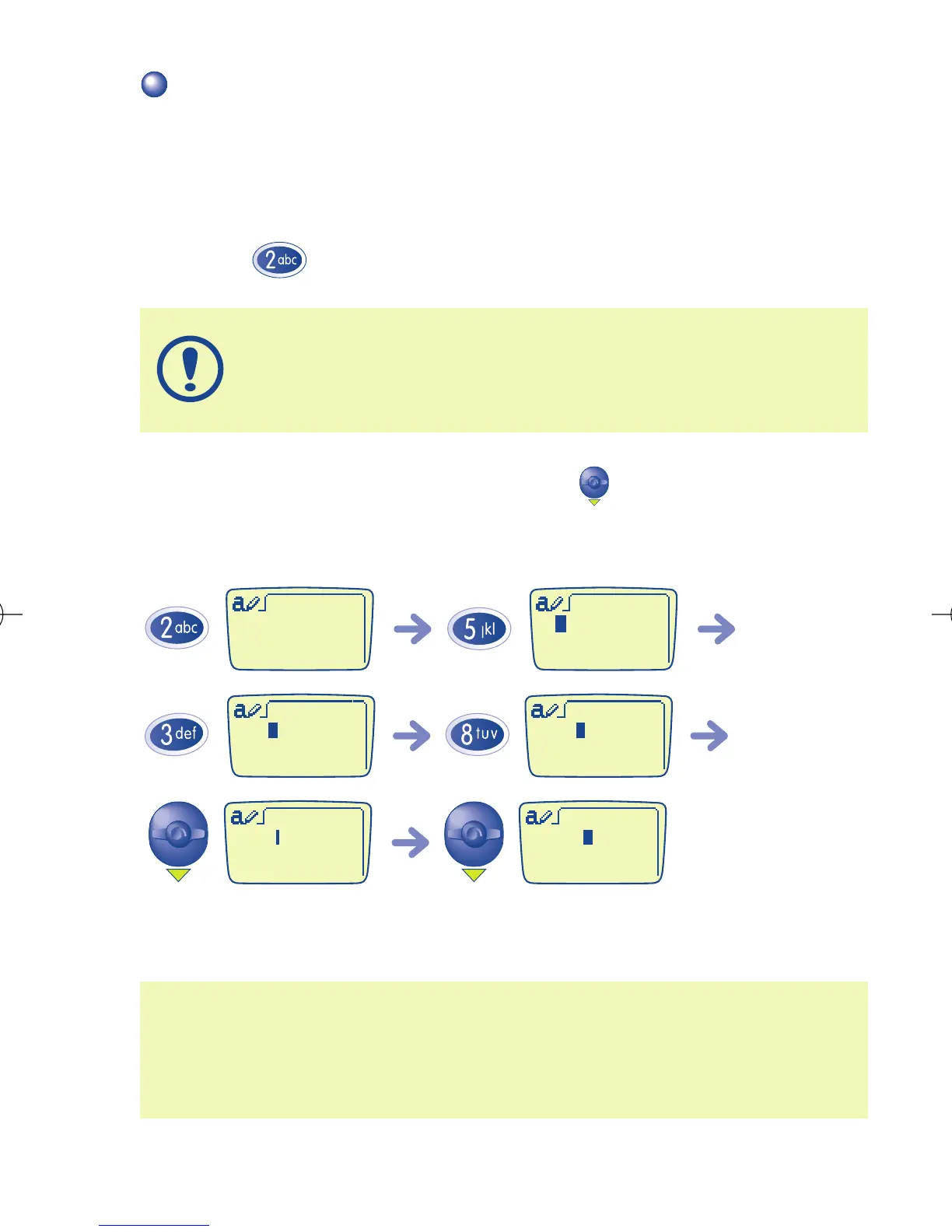
To confirm the entered word, press the key downwards twice.
Example: you want to write “bleu”:
(1) Depending on your phone model and language.
(2) At this stage you can make grammatical agreements if they are not
suggested (e.g. in this case add an “s” 4 successive keypresses on
7 to display “bleus” before going to the next word (cf. page 33).
Go to next wordConfirm the word (2)
Important: the displayed letter does not always match the
desired letter; the most common word is suggested. Ignore
words suggested at first, searching will become more accurate
as you enter more letters.
28



 To Next Page