7 8
1.2 Setup
Setup your phone for the first time
The first time you power on the phone, the following setup options will show on the screen:
• Tap
to select the phone's language, then tap to continue.
• Connect to an available Wi-Fi network, or tap Skip to continue.
• Set up date and time if needed, then tap Next to continue.
• Set up Google Services by marking the corresponding checkboxes, tap MORE to learn more about Google
Services, then tap Accepted.
• Set up Fingerprint to unlock the screen by tapping Next, otherwise tap Skip.
• Set up a screen lock to protect your phone if you didn't set up a fingerprint lock above. or tap Not now and SKIP
ANYWAY to continue.
• Set up Face recognition to unlock screen by tapping Add face data, otherwise tap Skip.
• Tap FINISH to complete setup.
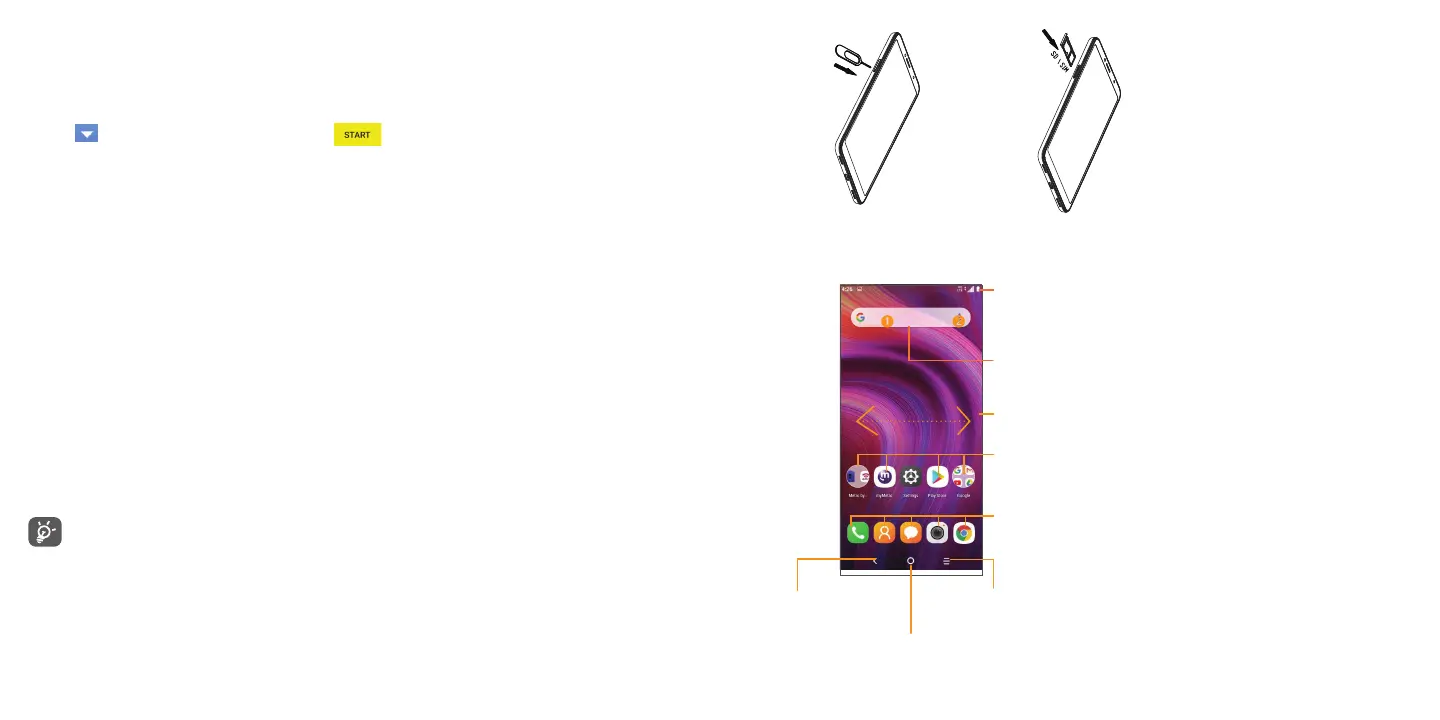
Inserting Nano SIM card
The Nano SIM (Subscriber Identity Module) card identifies your device to the wireless network. A Nano SIM card or
Wi-Fi connection is required to browse the Internet.
Insert an optional microSD
TM
card to expand the storage on your device. Note: microSD
TM
cards are sold separately.
You don't need to power off your device before inserting or removing the Nano SIM or microSD
TM
cards.
Your device only supports Nano SIM cards. To avoid damage to your device, do not attempt to insert any
other SIM types.
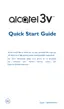
1.3 Home Screen
Swipe the screen up to enter the applications list.
Status bar
•Status such as battery level and app notifications appear in the
Status bar.
•Drag down to open the Notification panel.
Swipe left or right to view more screens
Tap an icon to open an application, folder, etc..
Favorite tray applications
•Tap on the icon to open the application.
•Press and hold to move or remove applications.
Search bar
Enter text search screen.
Enter voice search screen.
Back
•Tap to go back to
last screen.
Recent apps
•Tap to view
recent apps.
Home
•Tap to go back to home screen.
1. Use a SIM pin to open the slot. 2. Insert/Remove the SIM card and microSD card.



 To Next Page