13 14
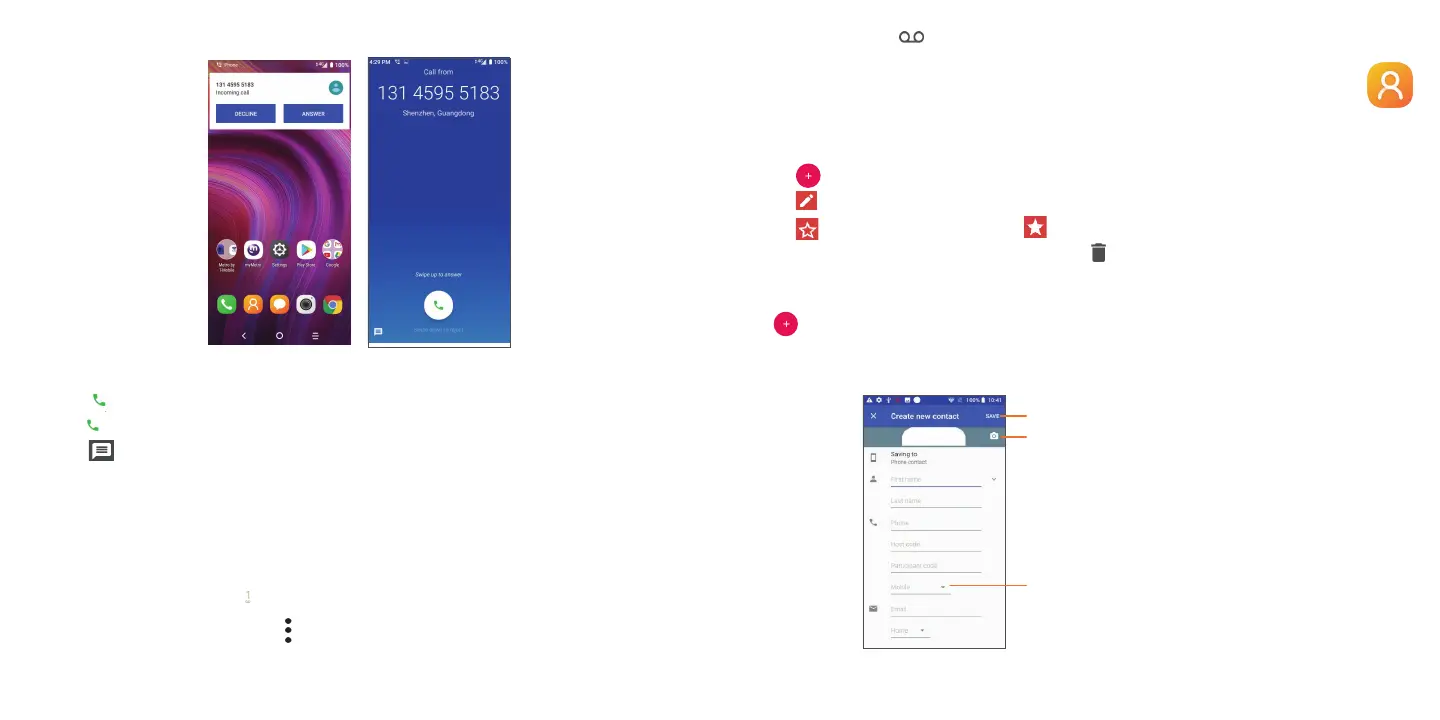
Answering or rejecting a call
When you receive a call:
• Slide
up or touch ANSWER to answer;
• Slide
down or touch ANSWER to reject;
• Touch
to reject the call by sending a preset message.
To mute an incoming call, press the Volume key.
Voicemail
Your voicemail is provided by your network to avoid missing calls. It works like an answering machine that you can
consult at any time.
To access your voicemail, long press
.
To set your voicemail number: go to menu
> Settings > Voicemail > Advanced Settings > Setup > Voicemail
number.
If you receive a voicemail,
appears in the Status bar. Open the Notification panel and touch Voicemail.
3.2 Contacts .............................................................................................
View and create contacts on your phone and synchronize them with your Gmail contacts or other applications on
the web or on your phone.
• Tap
in the contact list to create a new contact.
• Tap
in the contact details screen to edit.
• Tap
to add the contact to favorites; tap to remove a contact from favorites.
• Press and hold the contact you want to delete, then tap
.
Adding a contact
Tap in the contact list to create a new contact.
Enter the contact's name and other contact information. By scrolling up and down the screen, you can move from
one field to another.
Select a picture or take a photo
for the contact
When finished, tap the icon to save
Tap to open additional contact fields



 To Next Page