33 34
1.2 Getting started
1.2.1 Setting up
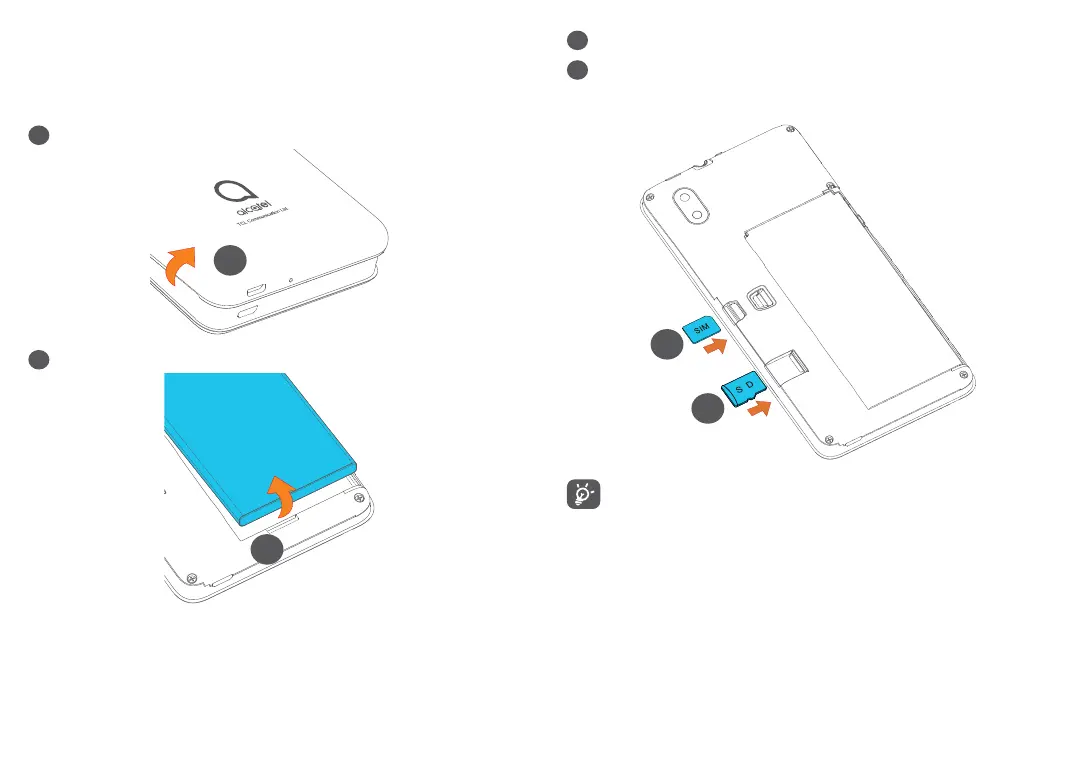
1
Removing or installing the back cover.
1
2
Installing or removing the battery.
2
3
Insert or remove the microSD card.
4
Insert or remove the SIM card.
Single-SIM
4
3
Your phone only supports nano-SIM cards. Do
not attempt to insert other SIM types like mini
and micro cards as these may cause damage to
your phone.


 To Next Page