53 54
• Place a call to the first participant of the conference
call.
• Touch to add another call.
• Enter the phone number of the person you want to
add to conference and touch . You can also add
participants from Call logs or Contacts.
• Touch to start the conference.
• Touch to end the conference call and disconnect
all callers.
3.1.6 Phone settings
Touch from the Phone screen, then touch Settings to
set phone and contacts.
3.2 Call logs
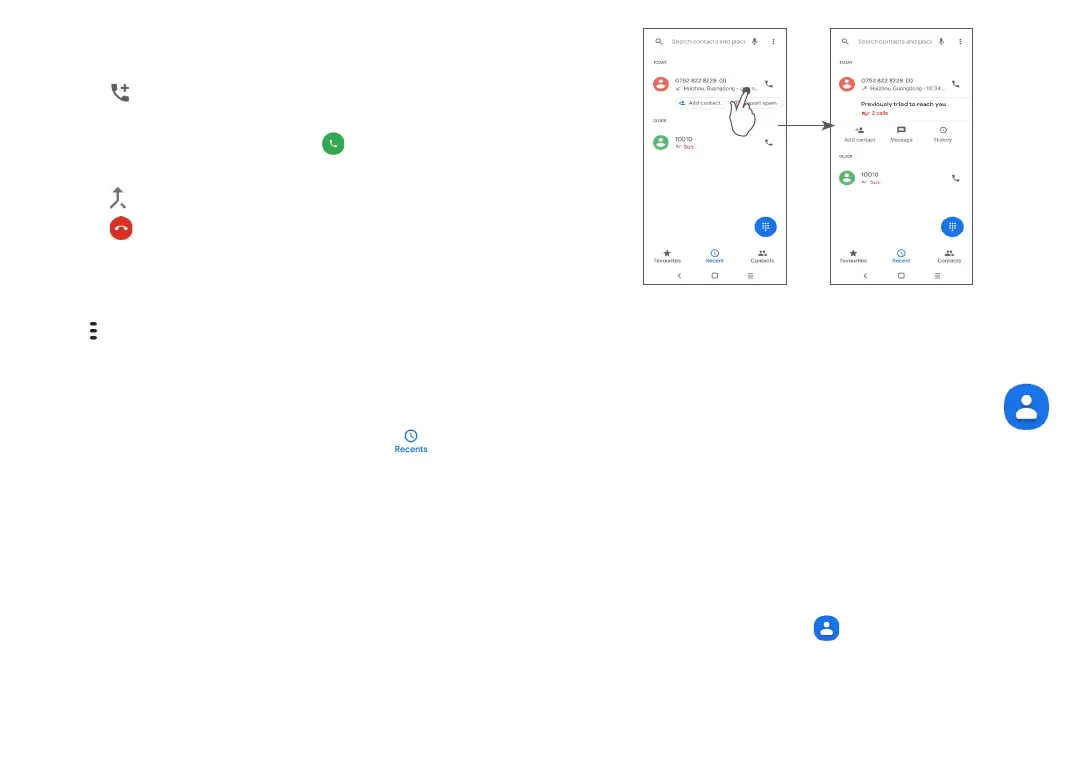
You can access your call logs by touching from the
Phone screen to view missed calls, outgoing calls and
incoming calls.
Touch item to view information or further operations,
you can launch a new call, send a message to the
contact or number, view detailed information of the
call, or clear the call.
Long press Call log items to Copy number, Edit a number
before making a call, Block/report spam, Deleted a call,
etc.
3.3 Contacts ............................................
Contacts enables quick and easy access to the people
you want to reach.
You can view and create contacts on your phone and
synchronise them with your Gmail contacts or other
applications.
3.3.1 Consult your Contacts
To see your contacts, touch from the App drawer.


 To Next Page