71 72
Album management
When there are many pictures and videos, you can
manage your folders for convenient viewing.
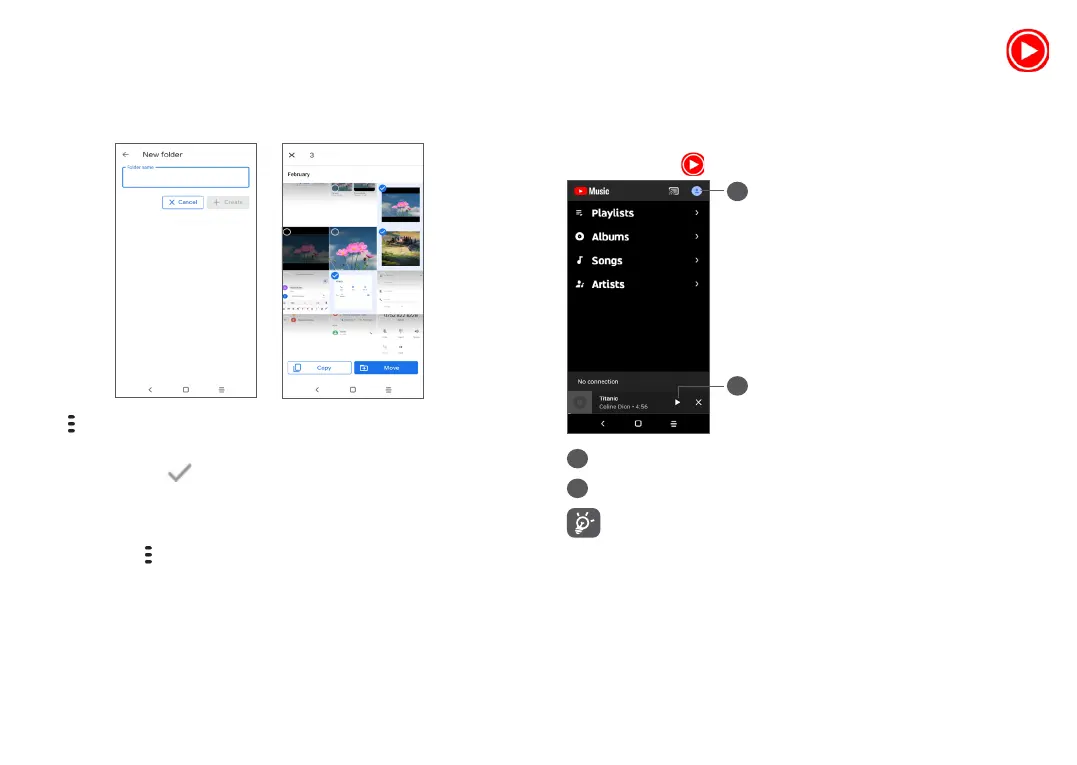
• Create an folder
Tap and select New folder to create and name a new
folder. Select the pictures or videos you want to include
in it by tapping to copy or move them.
• Move/copy pictures or videos
Long press the picture(s) or Video(s) you want to move/
copy, Touch > Copy to folder/Move to folder, then
select the album that you want to move to/copy to.
5.3 Music ..................................................
You can play music files stored on your phone or
microSD card.
To play a music file, swipe up on the Home screen, then
touch Music .
1
2
1
Account
2
Play or pause
While playing songs with Music, the operation of
pause, play or skip is still available even if the
screen is locked.


 To Next Page