27
To adjust alarm settings
Touch the icon from Alarm screen, the following options can now
be adjusted:
• Alarm in silent
mode
Select to play alarm with sound or vibration even when
the phone is in Silent mode.
• Snooze
duration
Touch to set temporary turn off time of an alarm.
• Volume
Buttons
Touch to set side Volume up/down key behaviors
when alarm sounds: None, Snooze or Dismiss.
5.2.3 Timer
From Time screen, touch to enter Timer screen.
Touch Start to activate the timer.
Touch Lap, a list of records will show below according to the updated time.
Touch Stop, the total time and the lap time will not run until touch Resume.
Touch Clear to delete the record.
5.2.4 Countdown
From Time screen, touch to enter Countdown screen.
Touch Start to activate Countdown.
Touch Ringtone to choose the ringtone.
Set the time by scroll the time scroll bar.
5.3 Calculator ..........................................
With Calculator, you can solve many mathematical problems.
To use calculator, touch from the Home screen, then touch Calculator.
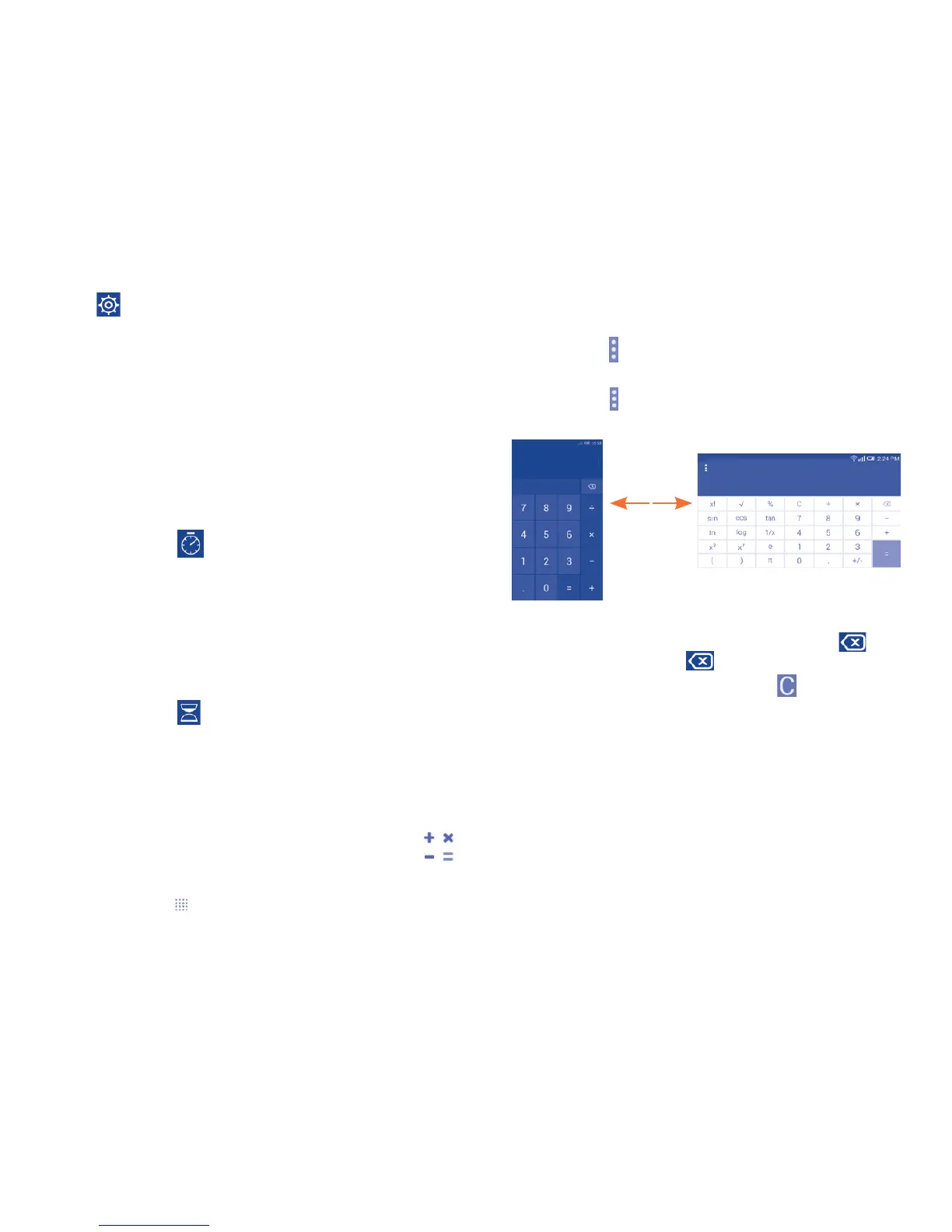
There are two panels available: Basic caculator panel and Scientific
calculator panel.
To switch between panels, select one of the following two ways:
• Touch the icon on basic calculator panel and touch Scientific
calculator to open it.
• Touch the icon on Scientific calculator panel and touch Basic
calculator to open it.
Enter a number and the arithmetic operation to be performed, enter the
second number, then touch “=” to display the result. Touch to delete
digits one by one, touch and hold to delete all at one time.
You can clear the calculator's history by touching .
When some numbers or operations have been entered, touch and hold the
numbers to open a menu offering these further operations:
(1)
• Cut To cut selected text
• Copy To copy selected text
• Paste
(1)
To paste what you have previously copied to the
entering bar
(1)
Option will not appear unless copy or cut operation has been made.



 To Next Page