37
8.2 Gallery ...............................................
Gallery acts as a media player for you to view photos and playback videos.
In addition, a set of further operations to pictures and videos are available
for your choice.
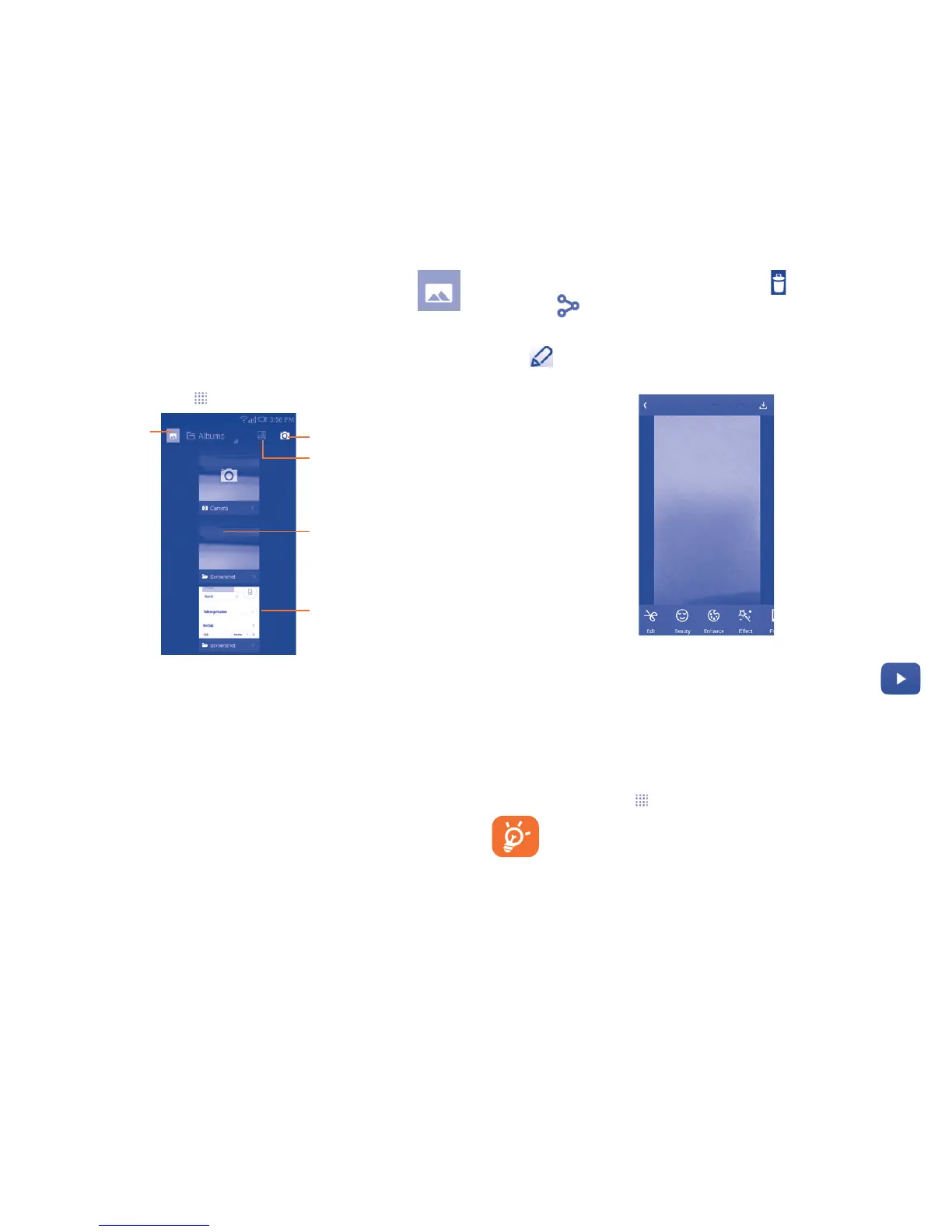
To open your Gallery, touch from the Home screen, then touch Gallery.
Touch the album to
spread it apart.
Slide left or right to
view more albums.
Touch to select
categories: Albums,
Locations, Times.
Touch to open Camera.
Touch to joint the photo.
To view a picture/play a video
Pictures and videos are displayed by albums in Gallery.
• Touch an album and all pictures or videos will spread the screen.
• Touch the picture/video directly to view or play it.
• Slide left/right to view previous or next pictures/videos.
Working with pictures
Gallery provides a multi-select function, so that you can work with pictures/
videos in batches.
You can touch one album, then slide left or right to view the pictures.
Touch a picture you want to work on, touch the icon to delete selected
one. Touch to share selected ones.
Touch the Menu key to setting them as contact ID or wallpaper, etc.
Touch from full-screen picture view, more options will display for you
to choose from.
8.3 YouTube ..............................................
YouTube is an online video-sharing service where the user can share
and view videos. It supports a streaming function that allows you to
start watching videos almost as soon as they begin downloading from
the Internet.
To open YouTube, touch from the Home screen, then touch YouTube.
As an online video service, your phone must have a network
connection to access YouTube.



 To Next Page