AUTHORITY 27
1
2
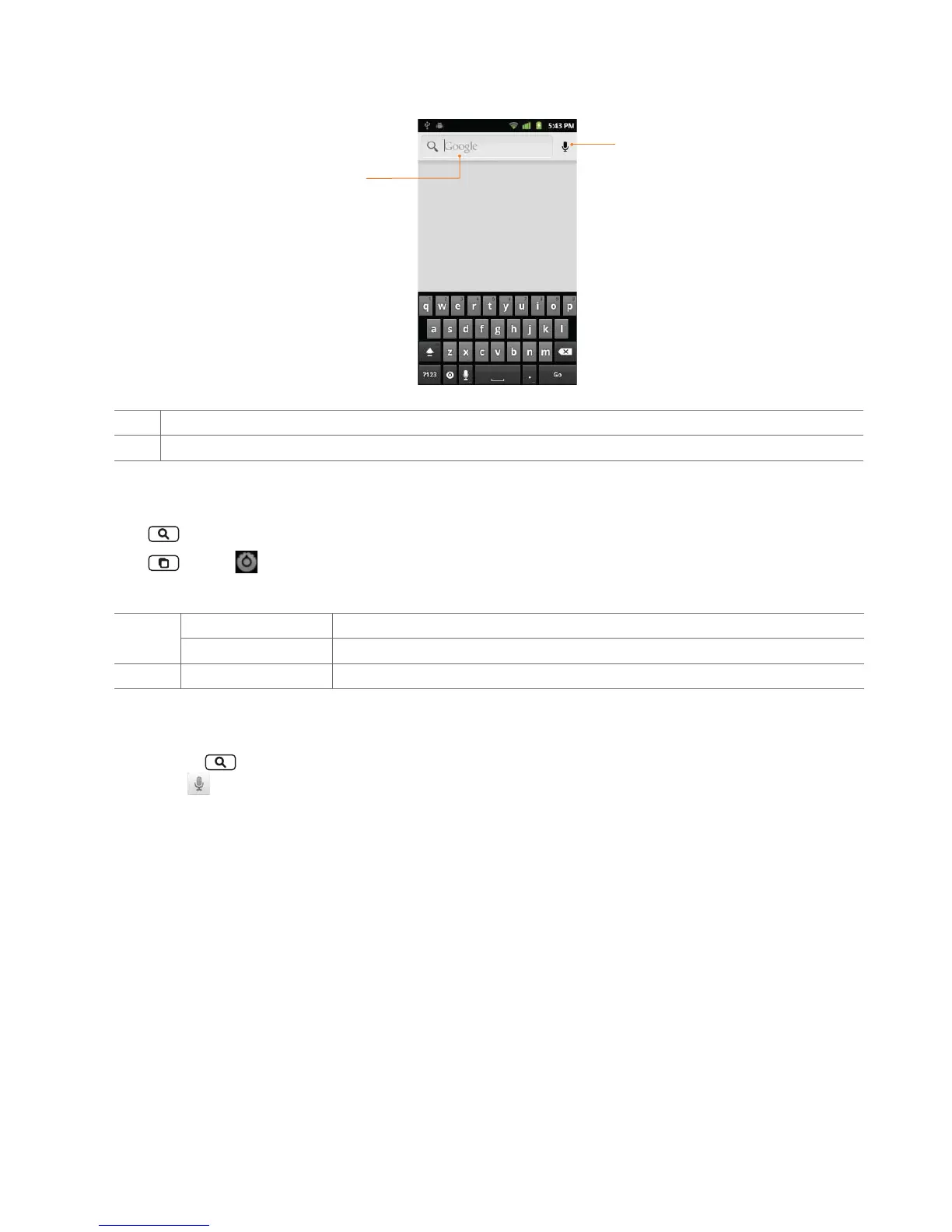
1 Type in your search criteria.
2 Tap to search by voice.
Setting search options
1. Tap Search.
2. Tap
Menu > Search settings.
3. Tap any of the following:
Device
Search
Searchable items Opens list of searchable locations on your phone.
Clear on-device history Clear search history for on-device content and apps.
Web Google Search Use My Location, Search on google.com, Terms of Service, Open Source Licenses.
Using Voice search
1. Tap and hold Search.
Or tap the
in the Google search box or in the Browser’s URL box.
2. Speak what you want to search for.
3. Searched words with similar pronunciations are listed. If you select a desired search result, the Google result appears with the
corresponding keyword.
• If you speak inaccurately, the desired keyword may not appear.



 To Next Page