AUTHORITY 8
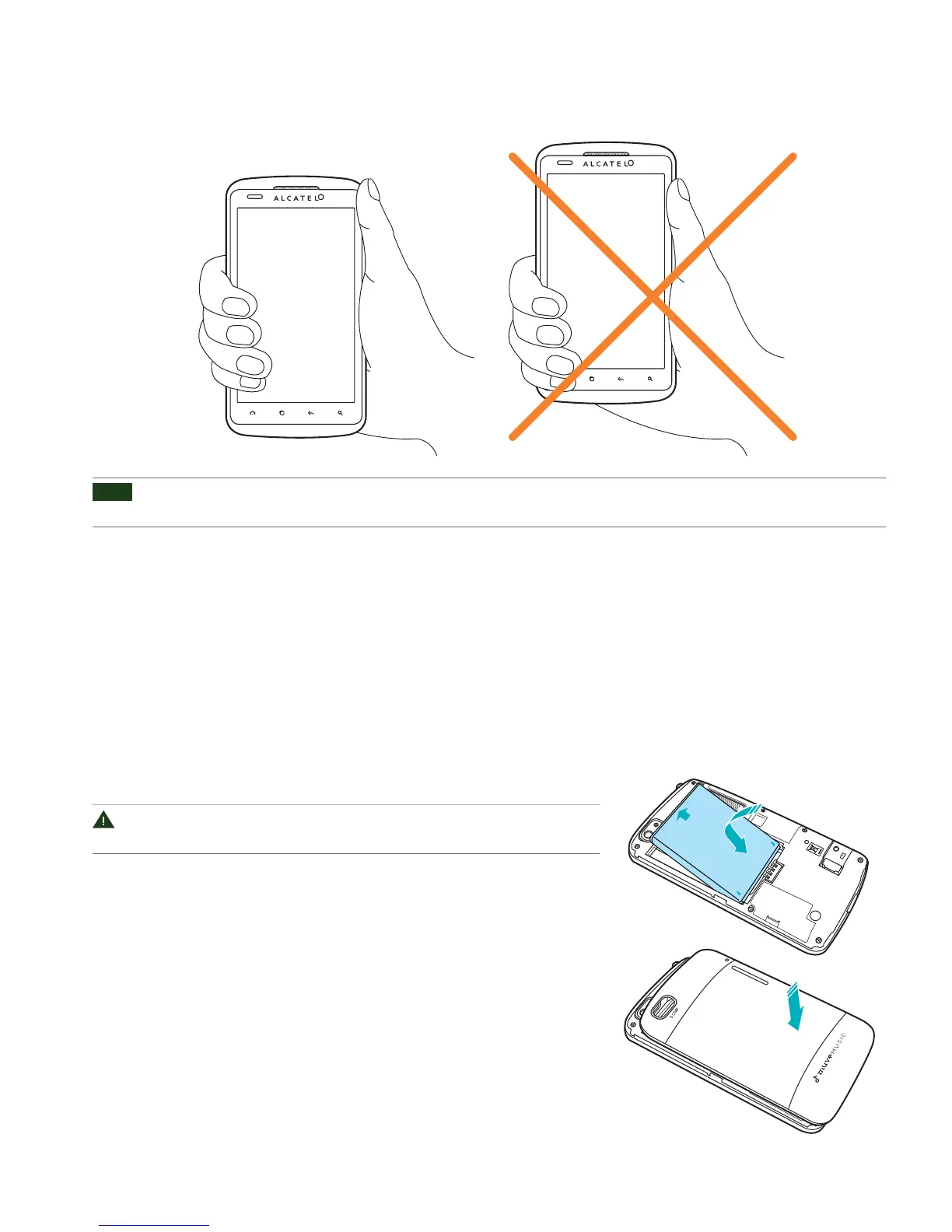
Proper Holding Position
NOTE
The Authority
TM
is equipped with an antenna located in the base of the unit. For optimum call quality, hold the phone along the
sides and avoid touching the top and bottom of the phone while in a call.
Battery
Note that browsing the web frequently, extended data usage, being in a poor signal area, or subjecting the device
to extreme temperatures will cause the battery to discharge quickly. To increase battery life, limit your data usage,
or turn o GPS and Bluetooth when not required.
Installing the battery
Please use only the original batteries and accessories you received with your
phone or CricKet recommended replacements.
1. Remove the battery cover from the unit.
2. Align the battery’s exposed gold contacts with the battery connectors
inside the battery compartment.
3. Insert the contact side of the battery rst and then gently push the battery
into place.
4. Replace the battery cover over the battery compartment and press down
until you hear a click.



 To Next Page