25
To lock phone screen
Press the Power key once to lock the screen.
To unlock the phone screen
Press the Power key once to light up the screen, slide to draw the
unlock pattern you have created or enter your PIN or password, etc.
to unlock the screen.
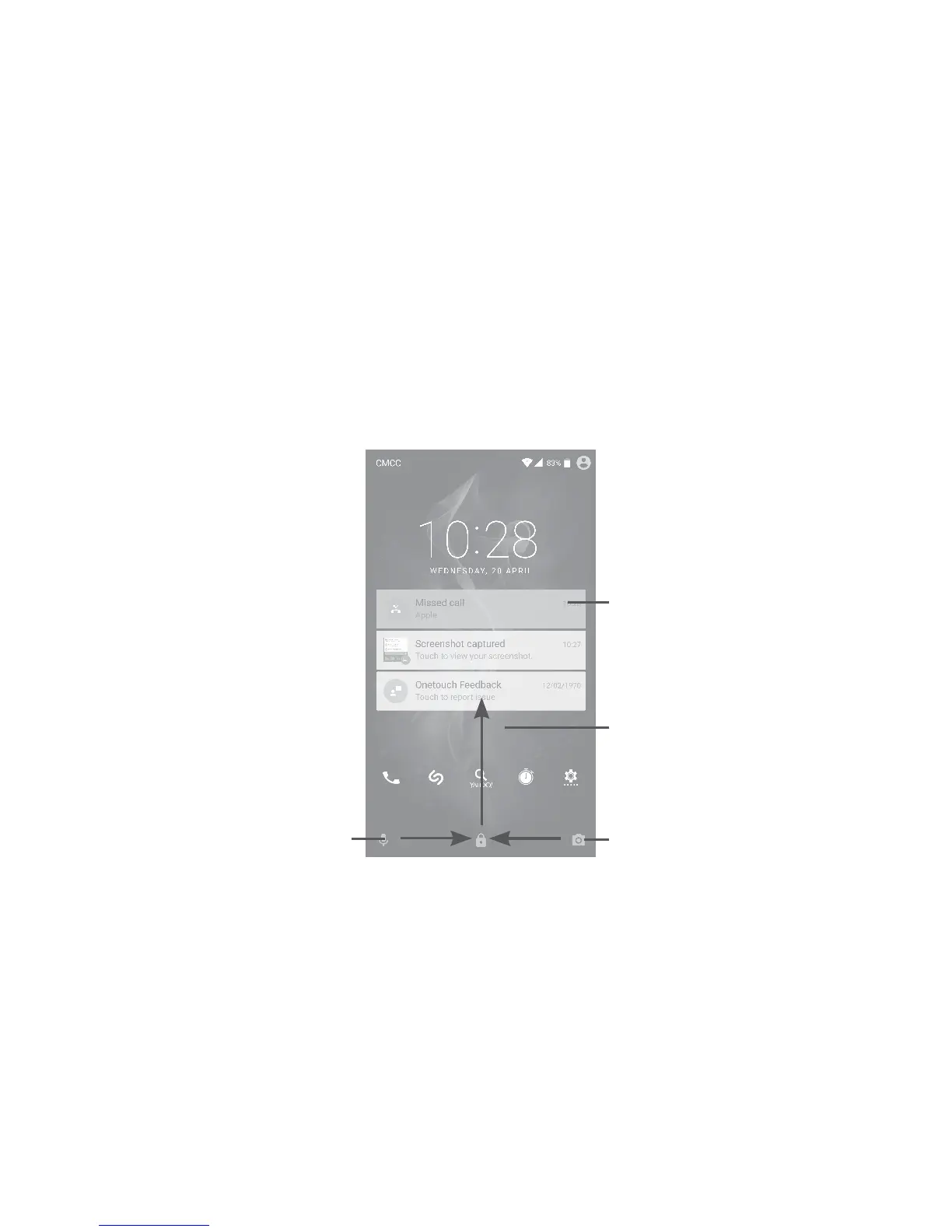
If you have chosen Swipe as the screen lock, you can press the Power
key to light up the screen, then swipe up to unlock the screen, swipe
the camera icon left to enter Camera or swipe the Voice search icon
right to enter Voice search.
Swipe right to
enter Voice search
Double touch
to enter the
detailed screen
Swipe left to
enter Camera
Swipe up to
unlock the screen
1�3�5 Personalize your Home screen
Add
You can long press a folder, an application or a widget to activate the
Move mode, and drag the item to your preferred Home screen.











 To Next Page