29
3
Text input ������������������������������������
3�1 Using the Onscreen Keyboard
Onscreen Keyboard settings
Touch Settings\Language & input, touch the keyboard you want to set
up and a series of settings will become available.
Adjust the Onscreen Keyboard orientation
Turn the phone sideways or upright to adjust the onscreen keyboard
orientation. You can adjust it by changing the settings (Touch Settings\
Display\Auto-rotate screen). Also your phone screen is reversible.
(Touch Settings\Display\Reversible).
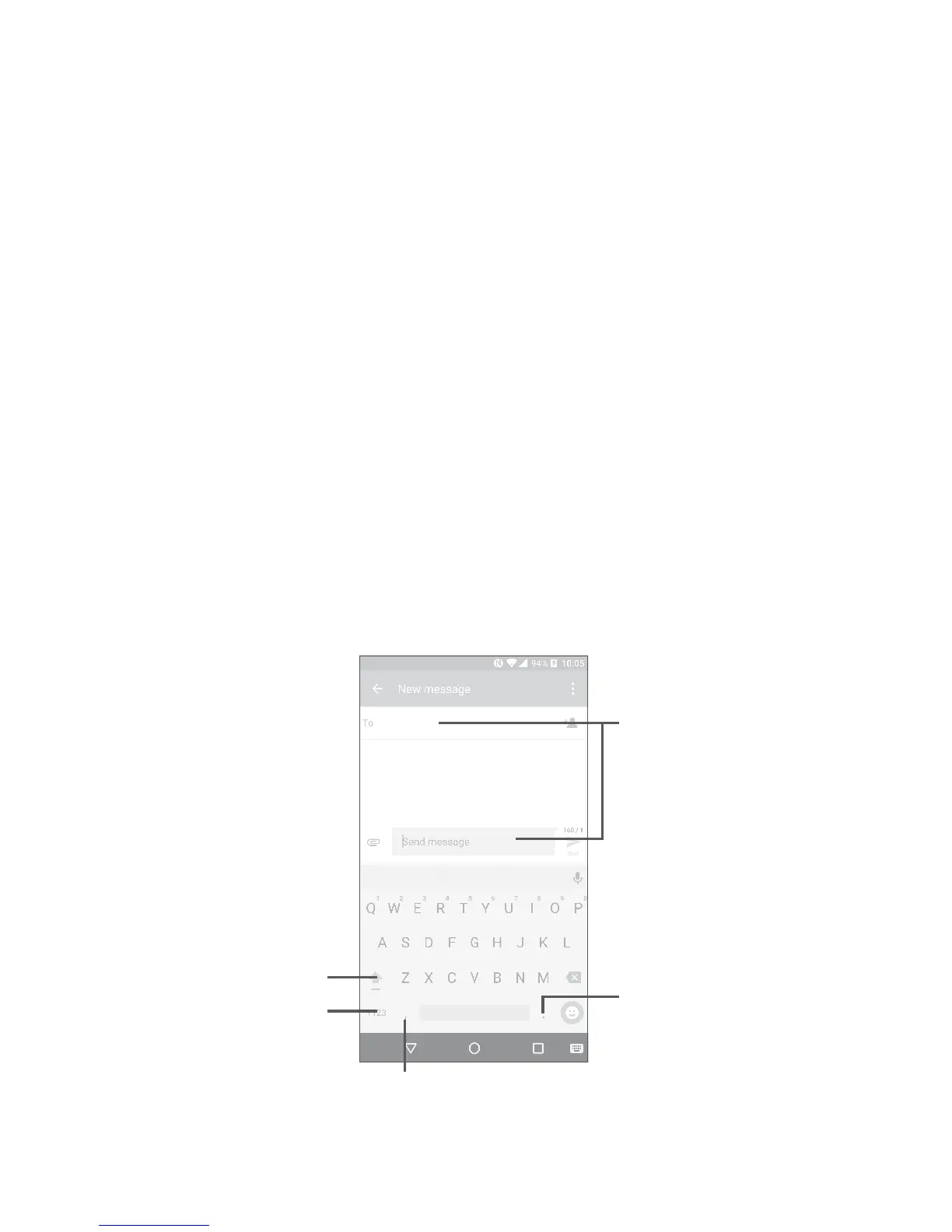
3�1�1 Android keyboard
Touch to switch
between symbol and
numeric keyboard.
Long press to select
symbols.
Touch to enter text
or numbers.
Long press to show input options.
Touch to switch
between "abc/Abc"
mode;
Long press to switch
to "abc/ABC" mode.











 To Next Page