75
9�3 Compass ��������������������������������������������������������������
Wave your phone in a figure 8 motion to have your detailed location.
9�4 NextRadio �����������������������������������������������������������
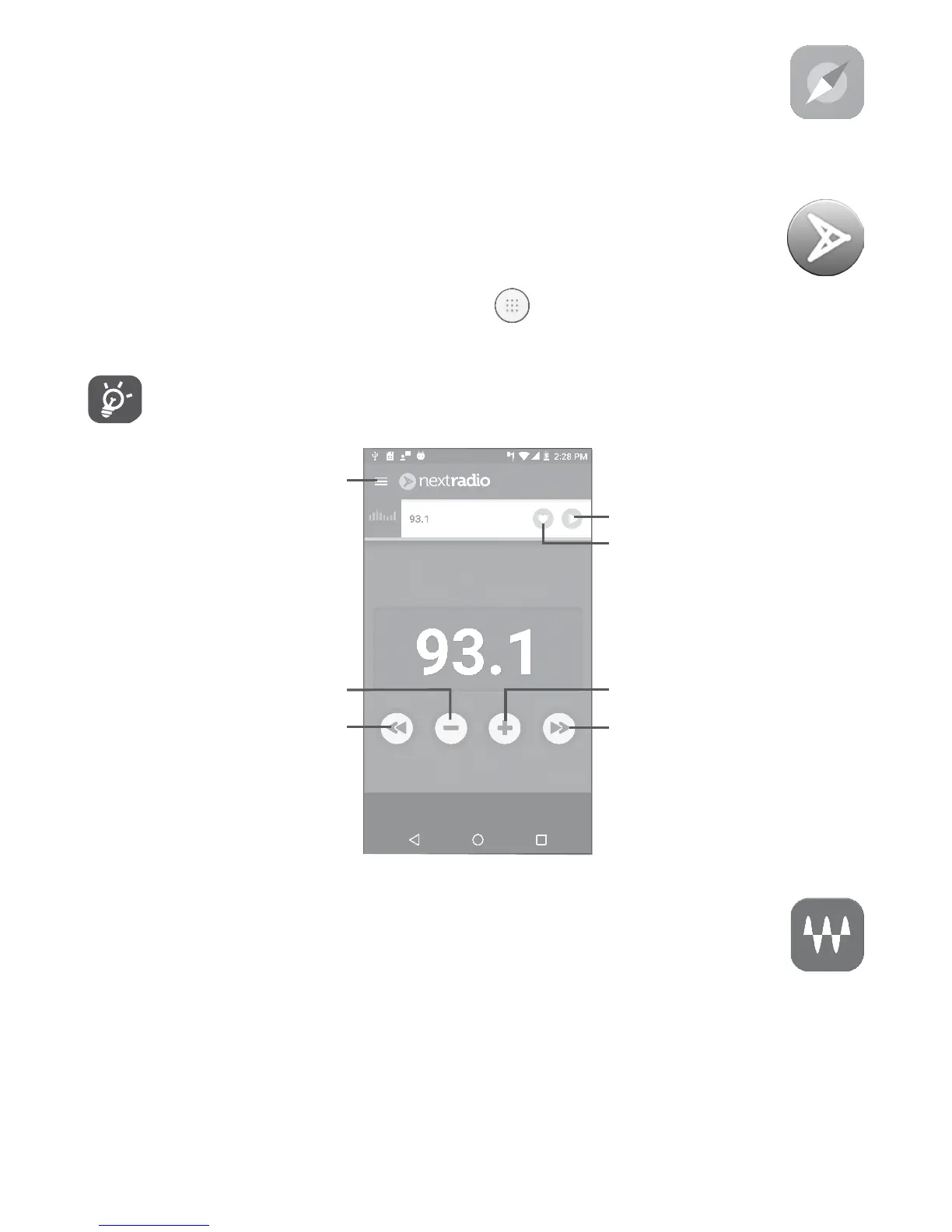
To listen to a radio program, touch from the Home screen, then
touch NextRadio.
To use it, you must plug in your headset, which works as an
antenna connected with your phone.
Touch to go to next
saved channel.
Touch to add the current
station to favorites.
Touch to play/stop.
Touch to go to previous
saved channel.
Touch to decrease 0.2MHz.
Touch to access the menu.
Touch to increase 0.2MHz.
9�5 Waves MaxxAudio �������������������������������������������
Touch to set the sound effect for music and movies.











 To Next Page