40
4�3�1 Consult your Contacts
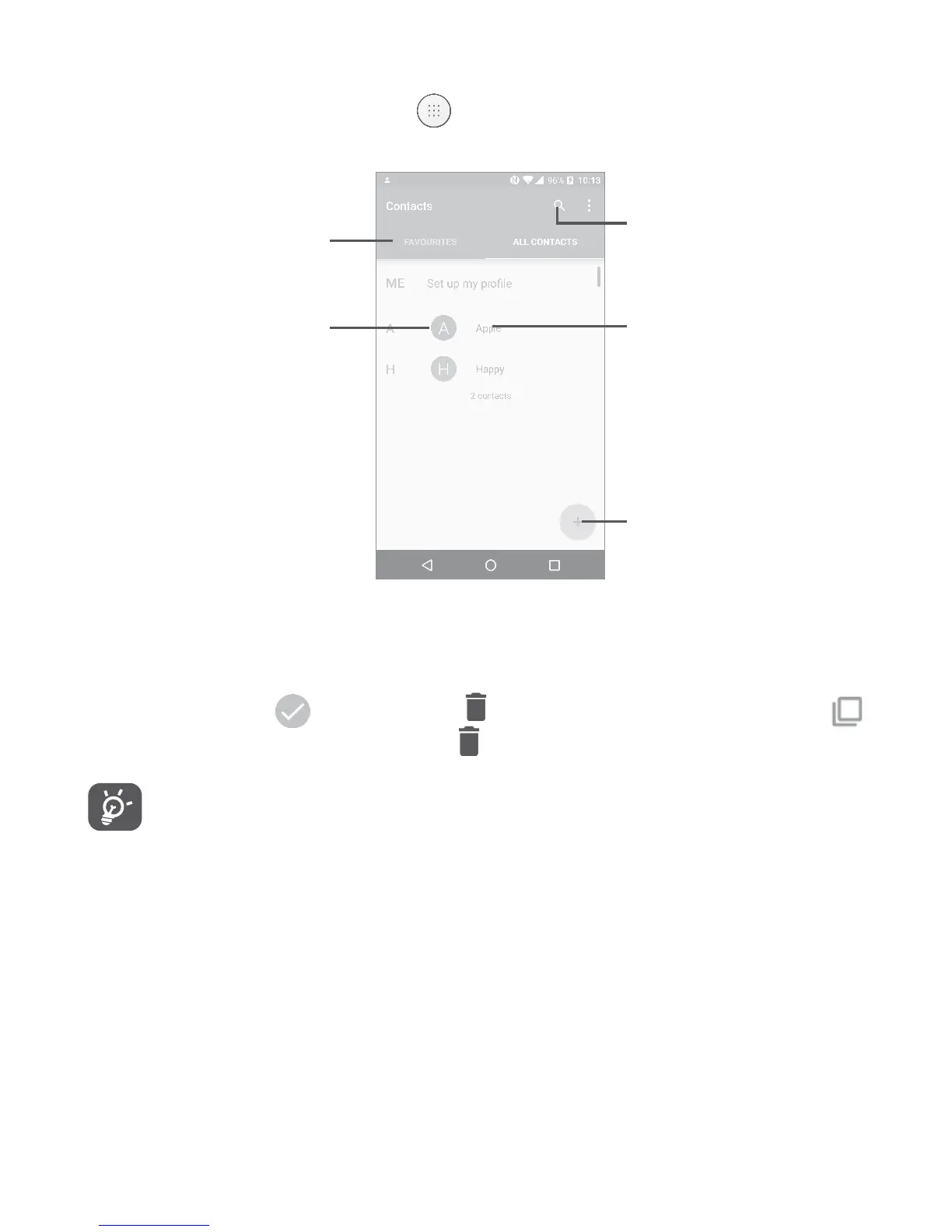
To see your contacts, touch from the Home screen, then select
Contacts.
Touch to add new
contact.
Touch to open
Quick Contact
panel.
Touch to view
your favorites.
Long press to
select the current
contact or all
contacts to delete.
Touch to search in
Contacts
Delete a contact
To delete a contact, long press the contact you want to delete, the
icon will turn to
, then touch and confirm to delete. Touch
to select all contacts, then touch and confirm to delete all contacts.
The contact you have deleted will also be removed from other
applications on the phone or web the next time you synchronize
your phone.











 To Next Page