42
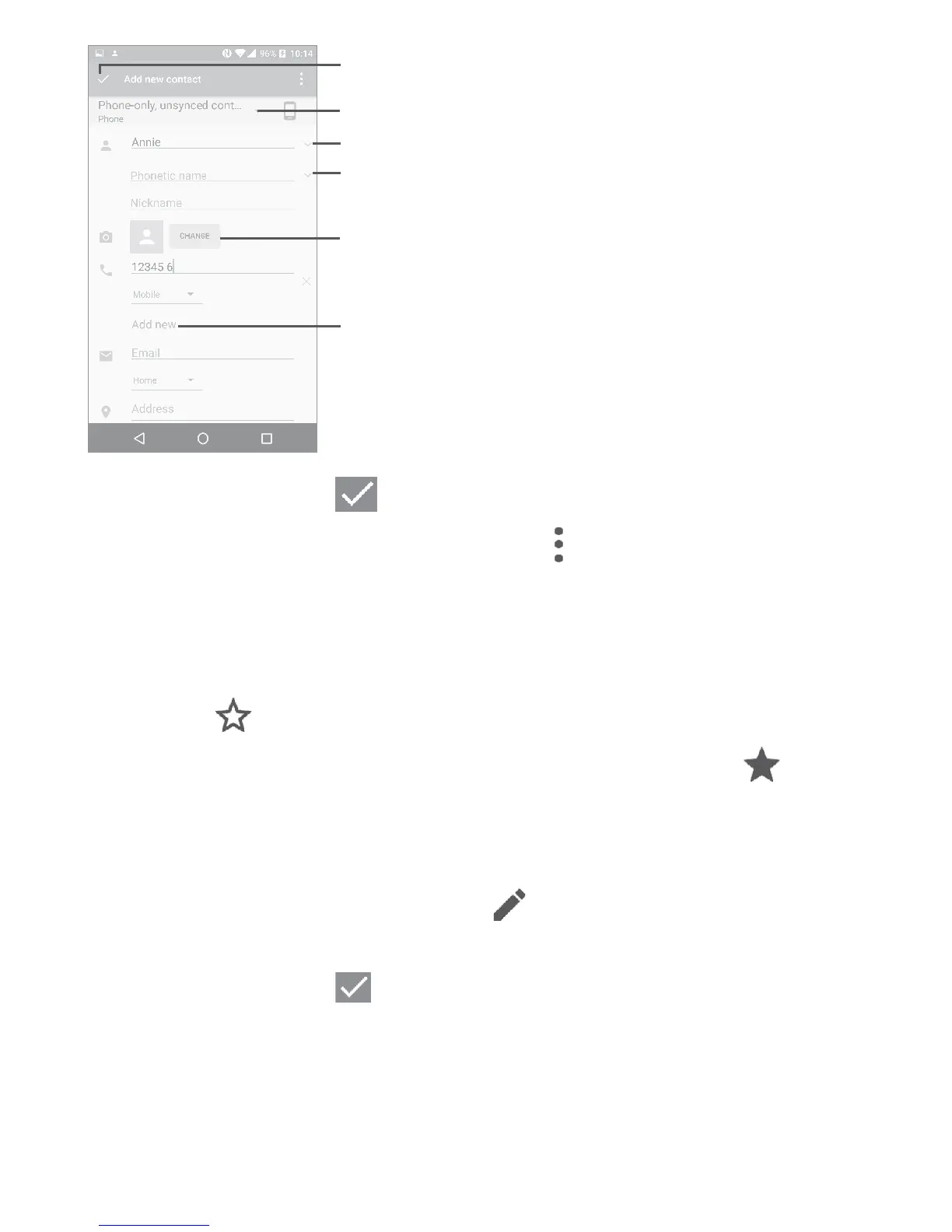
Touch to select a picture or
take a photo for the contact.
Touch to save.
Touch to select Phone, account, or SIM card.
Touch to add organization.
Touch to add detailed name information.
Touch to add a number.
When finished, touch to save.
To exit without saving, you can touch
and then touch Discard
changes.
Add to/remove from Favorites
(1)
To add a contact to favorites, you can touch a contact to view details
then touch
to add the contact to favorites (the star will turn white).
To remove a contact from favorites, touch the white star
on the
contact details screen.
4�3�3 Editing your contacts
To edit contact information, touch in the contact details screen
to edit.
When finished, touch
to save.
(1)
Only phone contacts can be added to Favorites.











 To Next Page