51
Entertainment
You can use your phone to take photos and record videos. Photos and videos
are stored to the phone's internal storage or microSD
TM
card (if applicable).
You can copy them to your computer or access them in Photos.
Capturing a photo
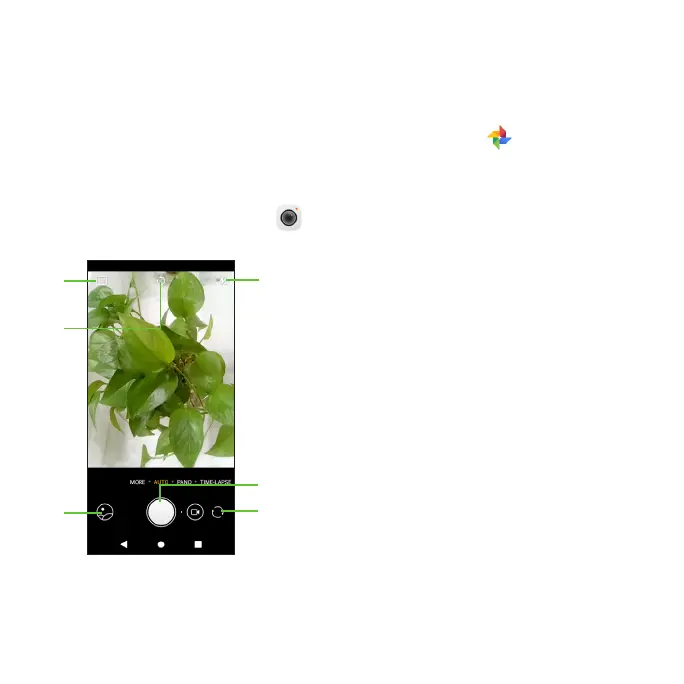
1. From the home screen, tap Camera.
2. Aim the camera at the subject and make any necessary adjustments.
Tap to select photo size.
Tap to set a timer.
Tap to turn camera flash on/off/auto.
Tap to open Photos.
Tap to take a photo.
Tap to switch between front/back
camera.
Tip: You can pinch or spread on the screen to zoom in or zoom out.
WARNING: Keep a safe distance when using the flash. Do not point the flash
toward people’s or animals’ eyes.













 To Next Page