5
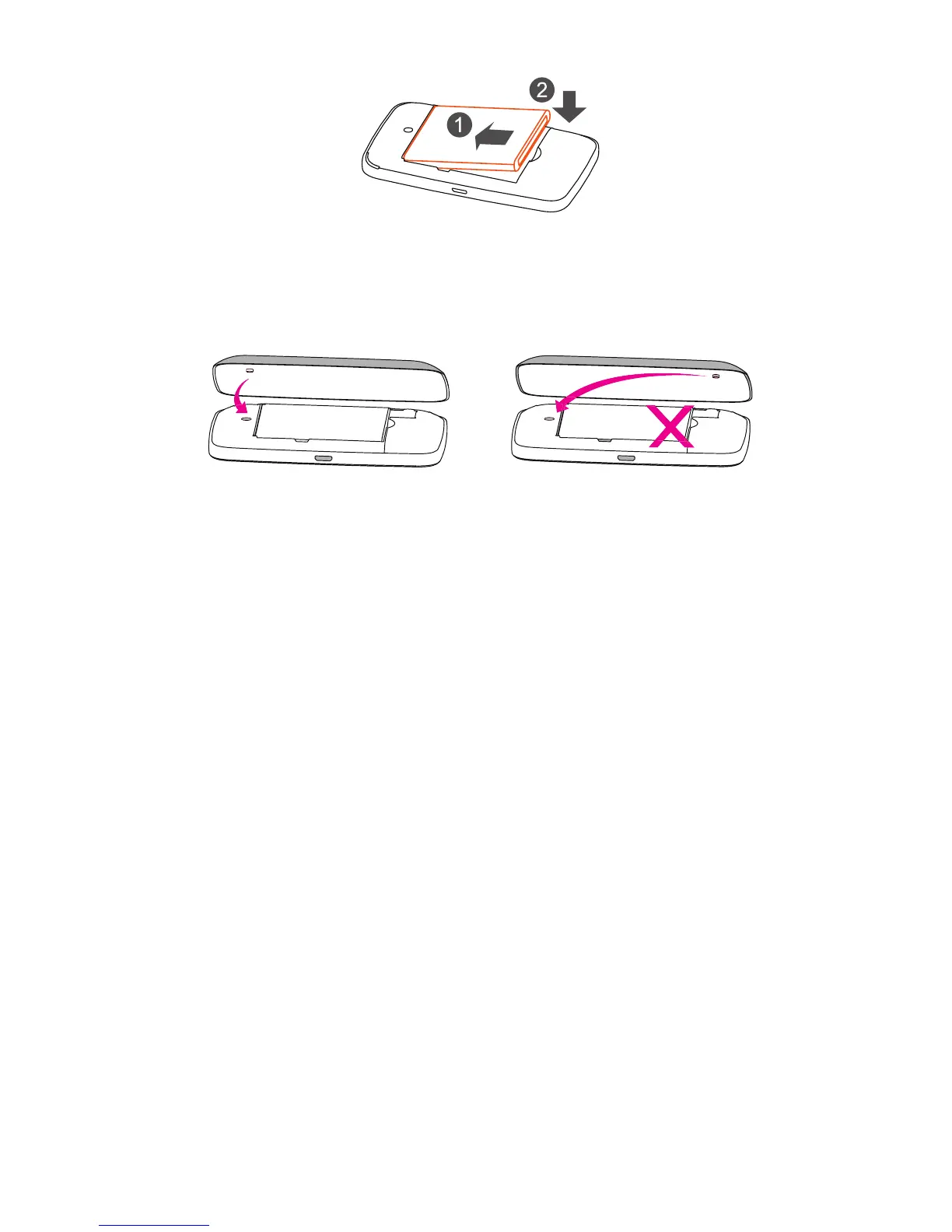
3. Install baery.
4. Close back cover.
Orient the back cover so that locang nub is inserted into
corresponding indentaon (please refer to illustraon below).
5. Power device on.
Hold the “Power” key for 3 seconds unl all LED indicators
illuminate in blue.
Charge Your Mobile Hotspot
There are two ways to charge your mobile hotspot:
1. Charge with a USB adapter
Connect a USB cable between the device and the head of
the adapter and plug it into a power socket to start charging.
When the device is powered o, it takes about 3 hours before
being fully charged.
2. Charge through connecon to computer using USB cable
You can also charge the device by connecng it to a PC with
the USB cable.
When the device is powered o, it takes about 4 hours to
complete charging.
Note: When red baery indicator ashes, device should be
charged in order to protect the baery.








 To Next Page