11
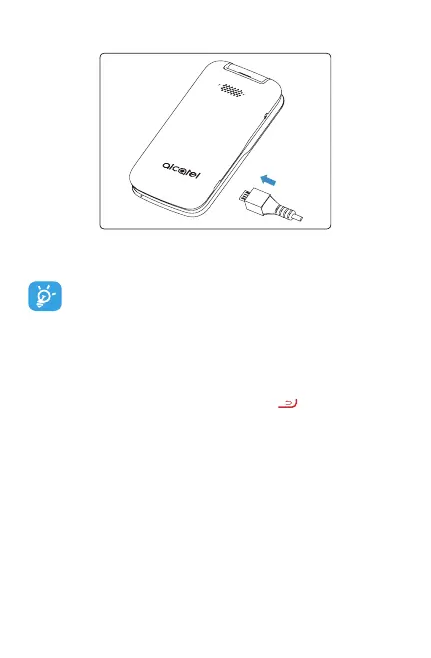
Charging battery
Insert the small end of the charging cable into the charge
port as shown and connect the charger to a power outlet.
To reduce power consumption and energy waste,
disconnect your charger when the battery is fully
charged, and switch o Wi-Fi, Bluetooth and other
wireless connections when they are not in use.
1.2.2 Power on your phone
Press and hold Power/Back/Hang Up until the phone
powers on. Type in your PIN code if necessary. Once unlocked,
Home screen is displayed.
If you don’t know your PIN code or if you have forgotten it,
contact your service provider. Do not store your PIN code
within your phone, instead store your PIN in a location that is
accessible without using phone.
Set up your phone for the rst time
Thersttime youpower onthephone, youwill be guided
through the following steps:



 To Next Page