32
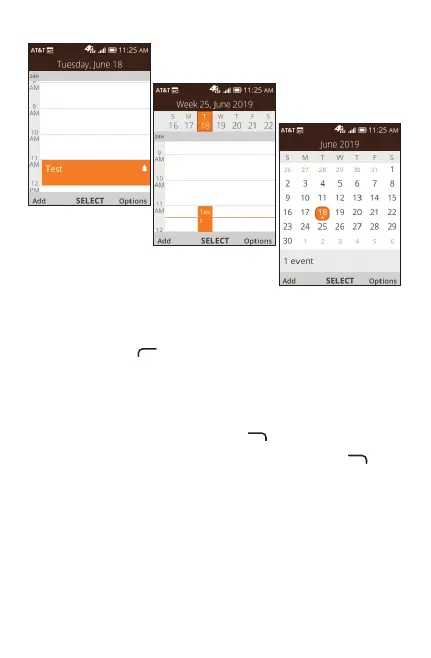
Day view
Weekly view
Month view
11.2 Creating new events
Press Le Menu to add new events from any Calendar
view.
• Fill in new event information.
• If it is a whole-day event, you can select All-day Event.
• Whennished,pressRight Menu to save.
More Options are available by pressing Right Menu
from
the Calendar main screen:
• Go to date: To go to whatever date you want.
• Search: Search scheduled events.
• Calendar to Display: To display phone calendar or another
account if added.
• Sync calendar: To sync calendar.
• Settings: To set a series of Calendar settings.



 To Next Page