14
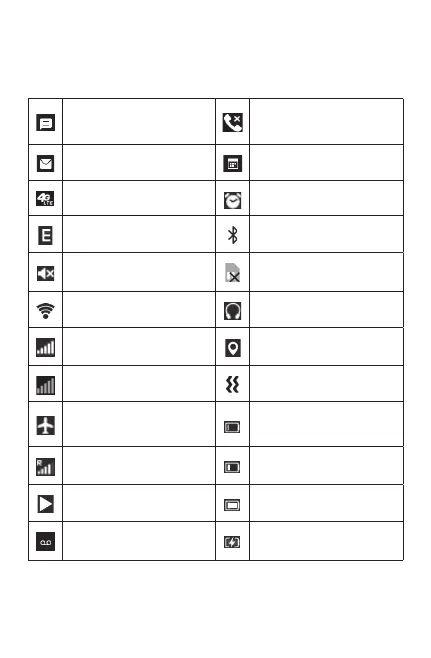
1.3.1 Status bar
From the status bar, you can view both phone status (to the
rightside)andnoticationinformation(totheleside).
New text or
multimedia message
Missed call
New Email message Upcoming event
4G LTE connected Alarm set
EDGE connected Bluetooth
®
active
Silent mode No SIM card installed
Wi-Fi
®
active Headset connected
Signal strength GPS is on
No signal Vibrate mode
Airplane mode
Battery is very low
(red bar)
Roaming Battery is low
Song is playing Battery fully charged
New voicemail Battery charging



 To Next Page