9
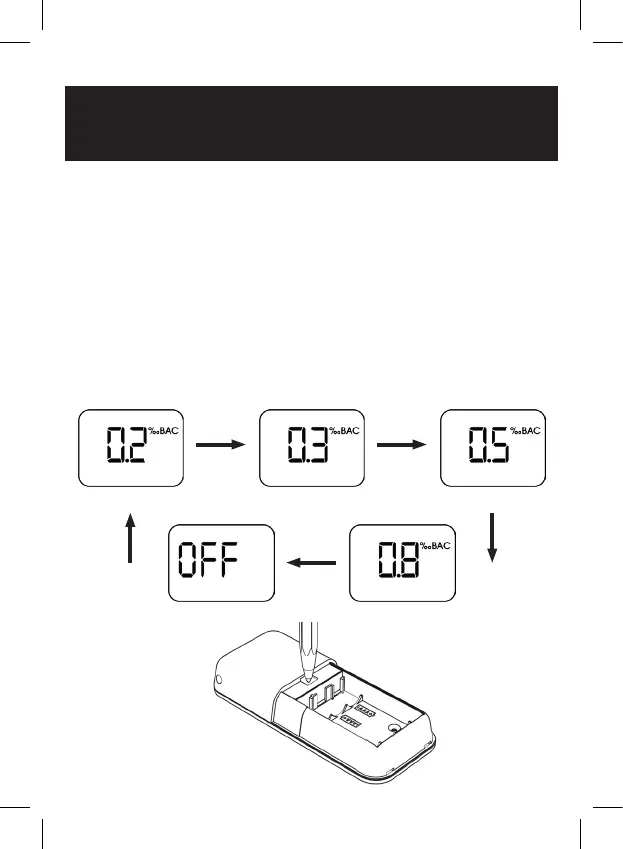
Figure 3
3. Set the Drink Drive Alert Level
a. Please go back to the table in the inside back cover and find the
relevant drink drive limit for your country of use.
b. Remove the battery cover.
c. Turn the breathalyser on by pressing and holding the power key.
d. Using a pen or similar thin object, press the button in the hole for the
battery cover clip on the back of the unit as shown in figure 3 below.
Each time you click it the drink drive limit will be shown on the screen
and rotate through the options below. If set to OFF, the unit will
display readings but will not alert you. Initial setup is now complete.
“Click” “Click”
“Click” “Click”“Click”
With only 0.1‰BAC in your system you are 37% more likely to be
involved in a fatal accident than when sober. As a result, do not drive
with any alcohol in your system.


 To Next Page