www.aleratec.com
3
Introduction
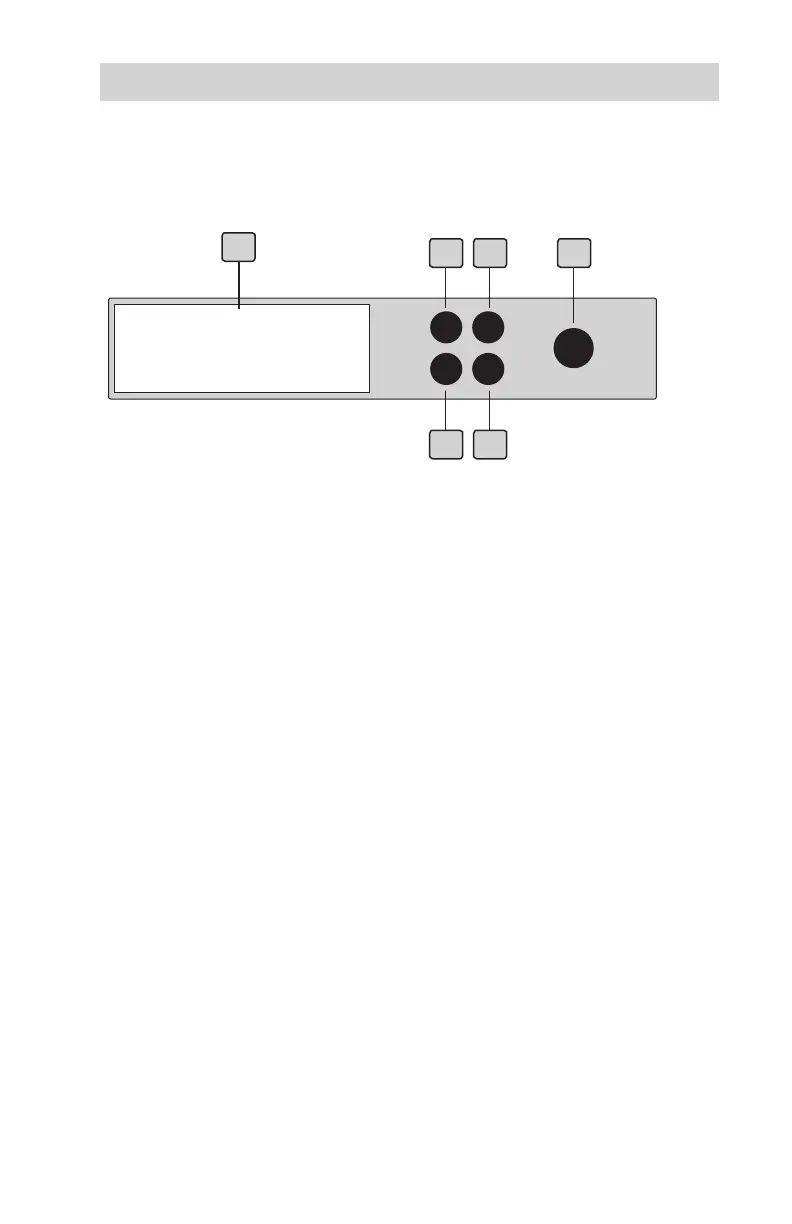
HDD Copy Dock Duplicator Display Panel and Buttons
(Actual display may vary from illustration)
1. LCD display shows all functions and messages
2. UP button is used to scroll backward through functions or menus
3. DOWN button is used to scroll forward through functions or menus
4. ENT button is used to execute a selected function, or enter a menu
5. ESC button is used to cancel a selected function, or exit a menu
6. POWER button is used to turn on the unit.
UP
== Duplication Mode ==
1. Copy HDD
1
4
DOWN
5
2
3
ENT
ESC
POWER
6



 To Next Page