Installation and Operations Guide
|
MS/TP Microset II
36
LTBT-MSTPMS2IOG Rev. 02 © Honeywell
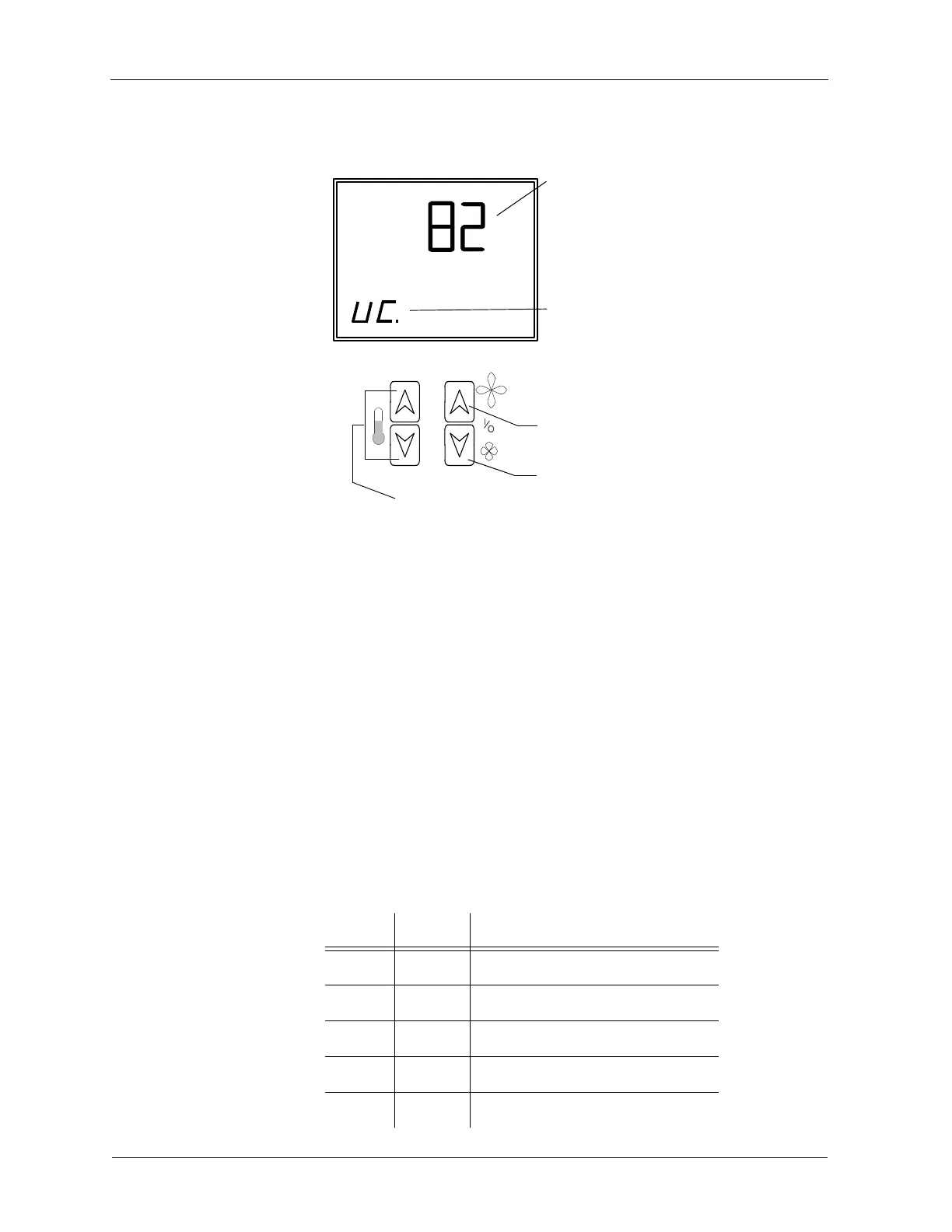
The MS/TP Microset II displays the field service code and its associated value.
To adjust values for codes in field service mode
1. Press the left UP/DOWN button until the code you want to work with
appears.
2. Field service codes appear in the order shown in Table 6. Pressing the
left
DOWN button scrolls down through this list.
3. Press the right
UP/DOWN buttons to adjust the value associated with the
code.
4. Press the left
UP/DOWN button to accept your change and scroll to a
different code.
To exit field service mode
• Press the left and right UP buttons simultaneously or press the left
and right
DOWN buttons simultaneously.
Table 6 Field service mode fixed codes.
Code Data point Meaning
UC. AV-95 Unoccupied cooling setpoint
UH. AV-96 Unoccupied heating setpoint
CO. AV-93 Cooling offset
HO. AV-94 Heating offset
CS. AV-99 Occupied cooling setpoint
Increase value
Scroll up and down
through codes
Value associated
with code
Decrease value
Field service code



 To Next Page