Installation and Operations Guide
|
Mounting
© Honeywell LTBT-MSTPMS2IOG Rev. 02
9
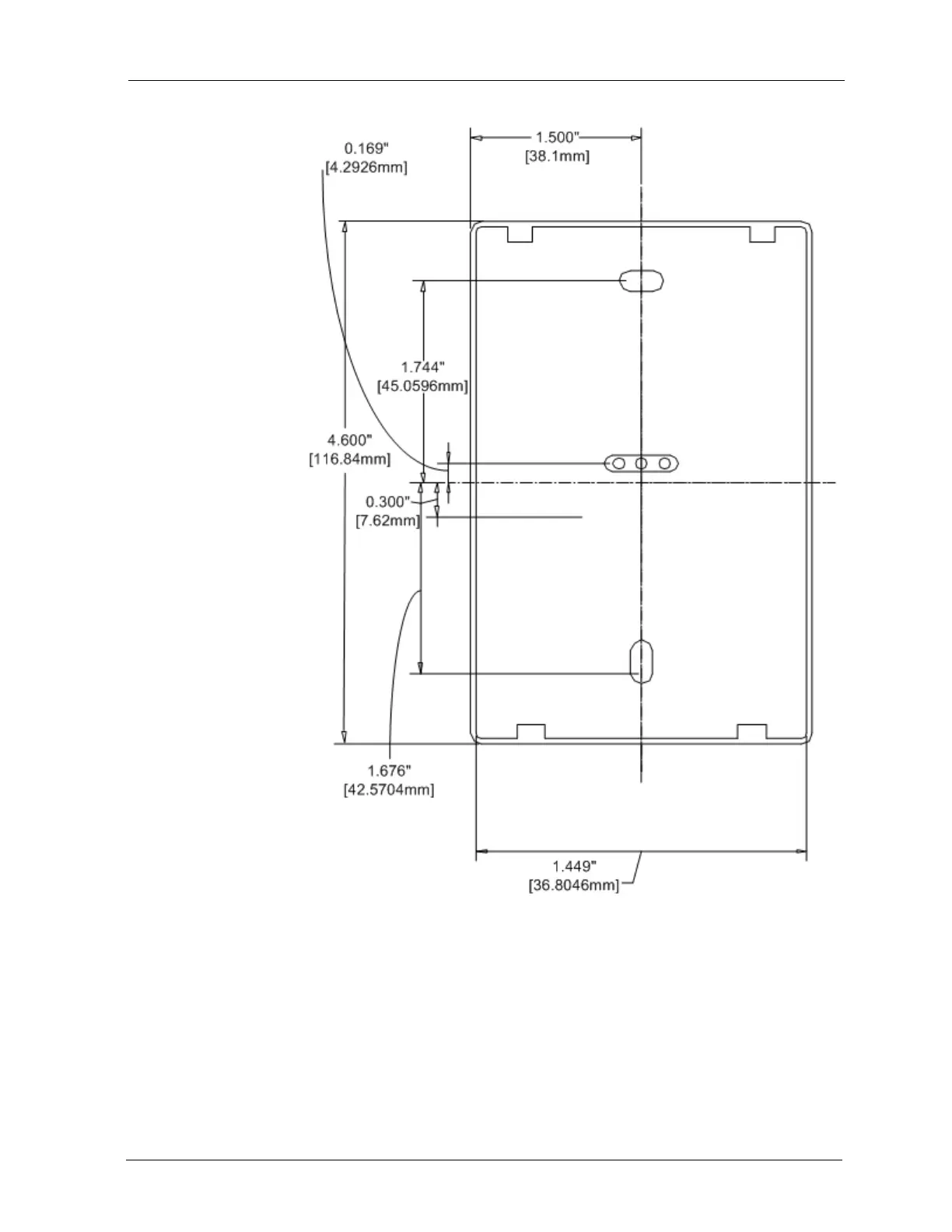
Figure 2 Backplate mounting dimensions.
The MS/TP Microset II ships with the backplate on backwards. This makes the
backplate easier to remove during installation. Two screws attach the backplate
to an electrical box, mud ring, or other mounting surface.
To secure the MS/TP Microset II to a mounting surface
1. Remove the backplate from the MS/TP Microset II and the wiring
pigtail.
2. Flip the backplate so the smooth side faces the mounting surface.
3. Rethread the wires through the center knockout on the backplate.



 To Next Page