1 Quick Start Guide
Step 2: Try some effects
While learning the unit, it is
helpful to play a CD or a
multi-track source into the
effects processor. Choose a
song or part that doesn’t
change much so that you can
take your time experimenting
with the different timbres.
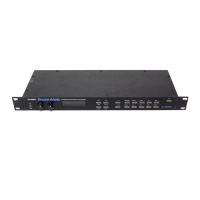
1. Play some audio into the PicoVerb. Turn up
your mixer’s effects sends to a moderate level and
then turn up the level on your effects returns.
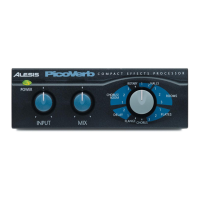
2. Adjust the INPUT knob on the front of the
PicoVerb until you hear a strong, clear signal
coming from the unit. If you hear distortion or
clipping, turn down the INPUT knob until the
distortion goes away.
3. Adjust the MIX knob on the front of the
PicoVerb to set the dry/wet balance of the effect.
To hear the effect only, as you will want to do in
most effects send / return setups, turn the MIX
knob fully clockwise.
4. Turn the program knob to change programs on
the PicoVerb.
f you are not hearing any
effect, check your connections
or try another program. Some
rograms’ effects are easier
to hear than others.
16








 To Next Page