2 Connections
Connecting inputs and outputs
Connecting to an Instrument or Microphone
The PicoVerb’s INPUT knob has been calibrated
to accept “instrument level” signals such as a
microphone or guitar input. To use the PicoVerb
this way, simply plug the guitar or microphone
into one of the PicoVerb’s Input jacks and
connect the output to an amplifier, mic preamp,
mixer or recorder. When using the PicoVerb with
a microphone, you may need an XLR to 1/4”
adapter (not included).
When connecting audio
cables and / or turning power
on and off, make sure that all
devices in your system are
turned off and the volume
controls are turned down.
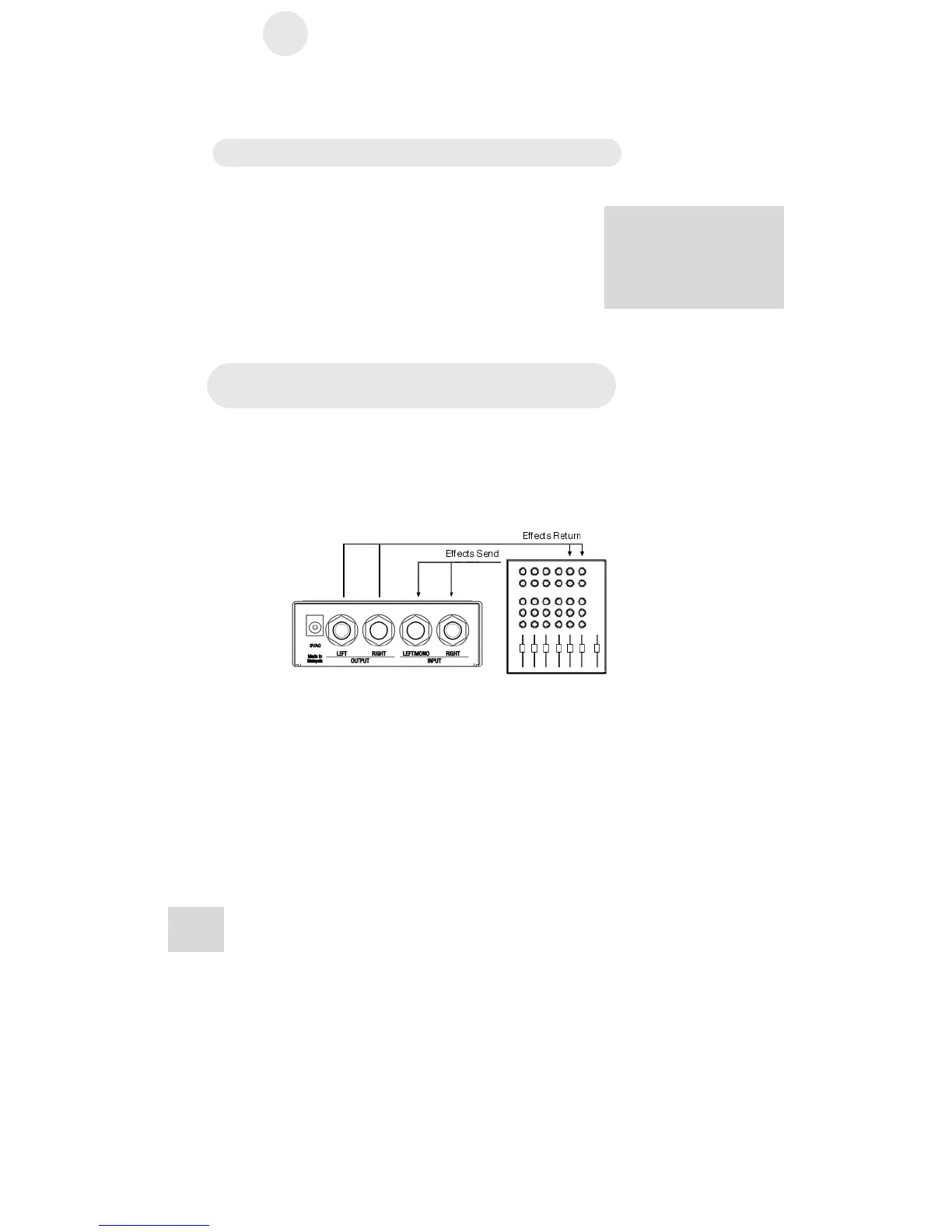
Connecting to the Effects Send and Return
of a mixing console
Most mixing consoles have post-fader effects send and return
jacks on their rear panels. This is usually the best choice for
connecting the PicoVerb as you will be able to use an effect on
several sources at once.
When you connect the PicoVerb in this way, you may hear an
odd phasing sound on some of the reverb and delay programs.
To prevent this, turn the MIX knob fully clockwise (effect
only). You can then control the balance between the direct and
effect signal with the effects return level control on your mixer.
18



 To Next Page