Introduction
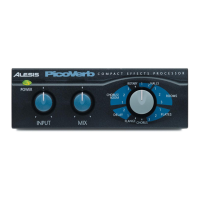
What you can do with your PicoVerb
When you have the PicoVerb properly connected, you can:
• add space or “room sound” to dry or sterile sounds using the
Halls, Rooms and Plates reverberators.
• create a lively ensemble effect from a single instrument or
static section using the Chorus program.
• introduce a classic warm, metallic sweeping effect that
simulates analog tape fluctuation using the Flange
program.
• add echoes (multiple repeats) to your source with the Delay
programs.
• animate your instruments by adding the ensemble effect
along with the reverberation effect with the Chorus /
Room programs.
• remove the vocal and other lead instruments from an existing
recording with the Vocal Eliminator program.
• apply the lush modulation effect of a spinning organ
speaker horn with the Rotary Speaker program.
5













 To Next Page