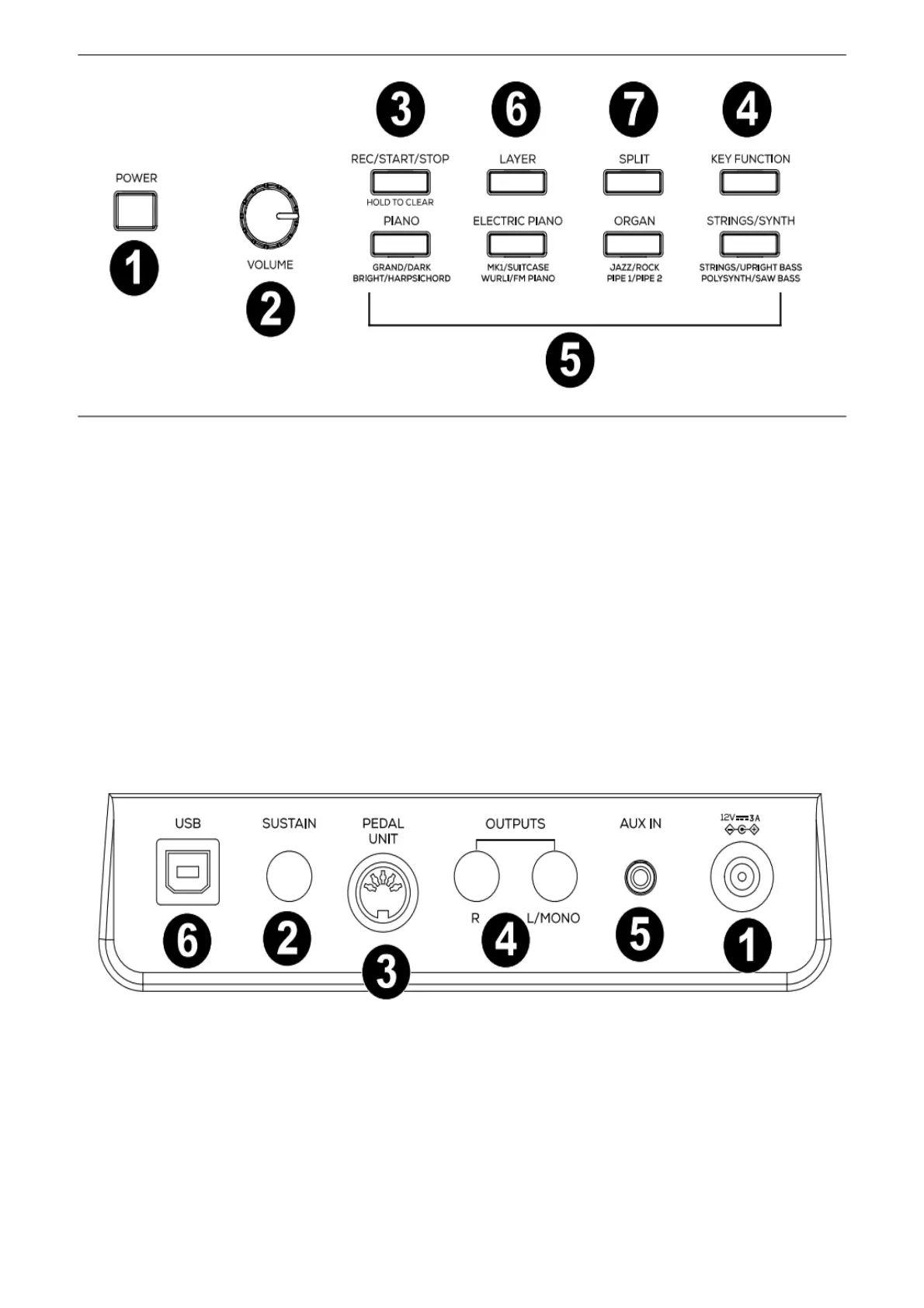
1. Power Switch: Turns the piano’s power on or off.
2. Volume Knob: Adjusts the volume for the Line Output and either Headphone Output.
Note: If the internal speakers do not produce any sound, check that the Volume knob is not set too low or if
headphones are plugged into either Headphone Output. The speakers will be muted if there are headphones
plugged into either Headphone Output.
3. Rec/Start/Stop Button: Press this button to arm recording or stop recording a user song, start or stop a user
song, stop a demo song, or stop the metronome. Press and hold this button to erase an existing user song.
4. Key Function Button: Press and hold this button while also pressing one of the 88 keys to edit various
settings.
5. Voice Select Buttons: Press one of these buttons to select a preset voice. See Operation > Voices to learn
more.
6. Layer Button: Press this button to enable/disable Layer Mode.
7. Split Button: Press this button to enable/disable Split Mode.
Rear Panel
1. Power Connector: Connect the included power adapter here.
2. Sustain Pedal Input: Connect a standard 1/4” (6.35 mm) sustain pedal here.
3. Pedal Unit Input: Connect a pedal unit to this input.
4. Line Output: Connect external audio equipment such as an amplifier, mixer, or recorder. Use the R and L
outputs for stereo output or just the L output for mono output.
5. Aux Input: Connect a mobile device or other audio source to this input. You can adjust the volume of this
device on your mobile device or other audio source itself.
6. USB Port: Allows for transfer of MIDI data to a computer.
Front Panel


 To Next Page