Advanced Functions
Metronome
The metronome feature provides a steady beat to aid in
practicing at a consistent tempo. The tempo of the metronome can be freely adjusted from 30 to 280 beats per
minute.
Note: The metronome cannot be used during Demo playback.
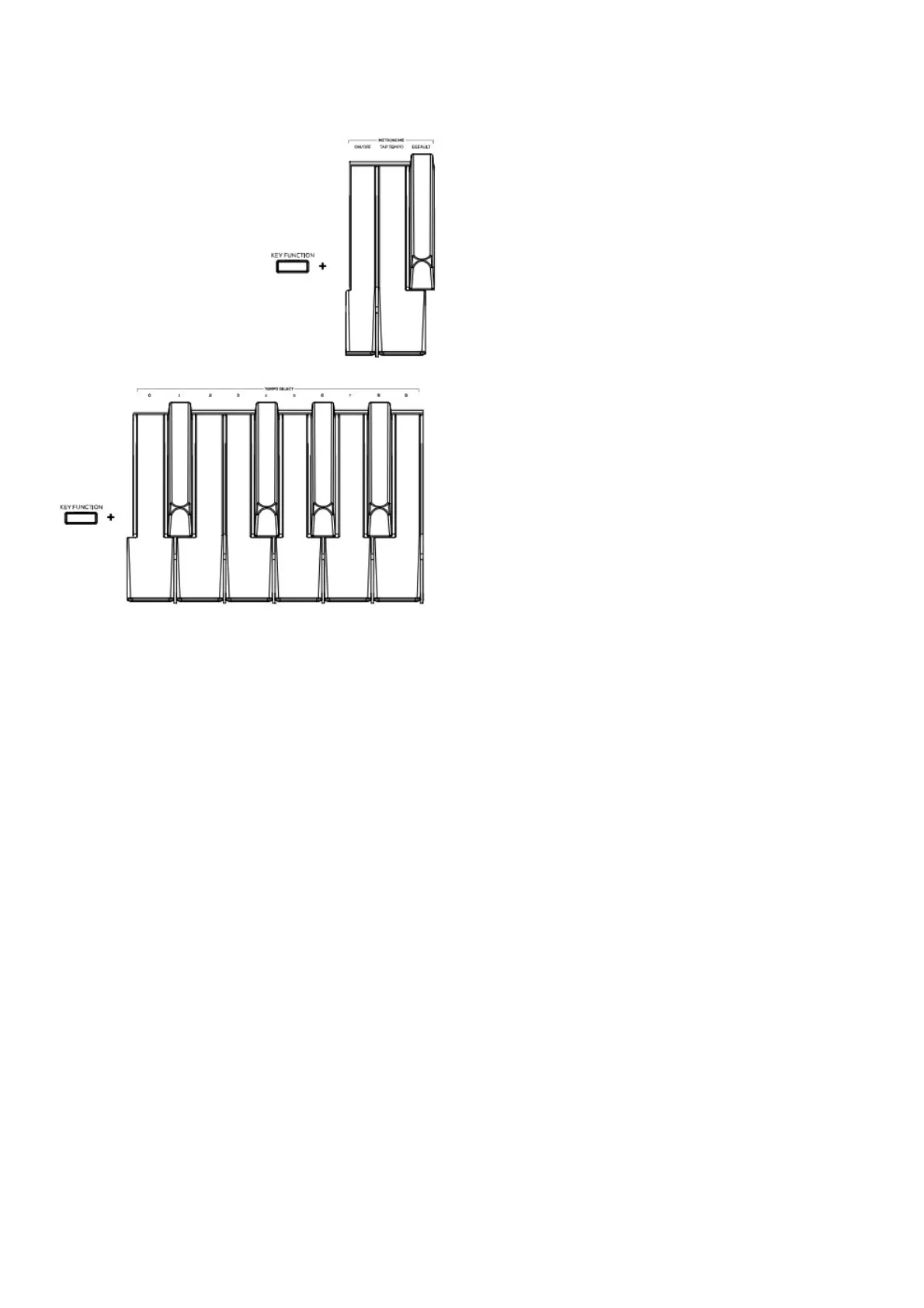
To enable or disable the metronome, press and hold the Key Function button, and then press the B3 key.
To set the tempo via tap, press and hold Key Function, then press the C3 key at least 2 times to get the desired
tempo.
To set the tempo to default (120 BPM) , press and hold Key Function, then press the C#3 key.
To manually change the metronome’s tempo, press and hold Key Function, then press 3 digits using D3 to B3.
To lower/raise the metronome’s volume, press and hold Key Function, and then press C4 or C#4 respectively.
To increase or decrease this by multiple steps, press and hold Key Function, and then press C4 or C#4 repeatedly.
To set the metronome’s volume to default (4) , press and hold Key Function, and then press D4.
To change the metronome’s time signature, press and hold Key Function, and then press D#4 or E4
respectively. To increase or decrease this by multiple steps, press and hold Key Function, and then press D#4 or
E4 repeatedly.
To set the metronome’s time signature to the default value (4) , press and hold Key Function, and then press
F4.
User Song Mode
To record and/or playback a user song:
1. Press the Rec/Start/Stop button to enter to the User Song Mode. The Rec/Start/Stop LED will quickly flash
continuously.
2. Press any of the 88 keys to start recording a song. The Rec/Start/Stop LED will slowly flash continuously. If the


 To Next Page