Editing Programs
7
47
Activating Envelope Key Tracking
Buttons: [EDIT] [90]-[110]
Page: 8
Parameter: Time Track (ON or OFF)
This determines whether keyboard position affects the speed of the
envelope. When ON, playing toward the higher end of the keyboard will
result in a faster envelope cycle.
This only affects the decay, sustain decay and release segments of the
envelope. The envelope’s timing doubles or halves over a range of two
octaves.
Activating the Sustain Pedal
Buttons: [EDIT] [90]-[110]
Page: 9
Parameter: SustainPed (ON or OFF)
This determines whether the Sustain Pedal will affect the envelope.
Setting the Envelope Level
Buttons: [EDIT] [90]-[110]
Page: 10
Parameter: Env Level (00 to 99)
This sets the level of the envelope. At 99 the envelope will have a
maximum effect on whatever it is being routed to.
Setting Velocity Modulation of the Envelope
Buttons: [EDIT] [90]-[100]
Page: 11
Parameter: VEL>Level (00 to 99)
It determines how keyboard velocity will affect the Pitch or Filter
envelope level. When set to 99, notes played hard will deliver a higher
envelope output than notes played soft.
Naming the Program [120 NAME]
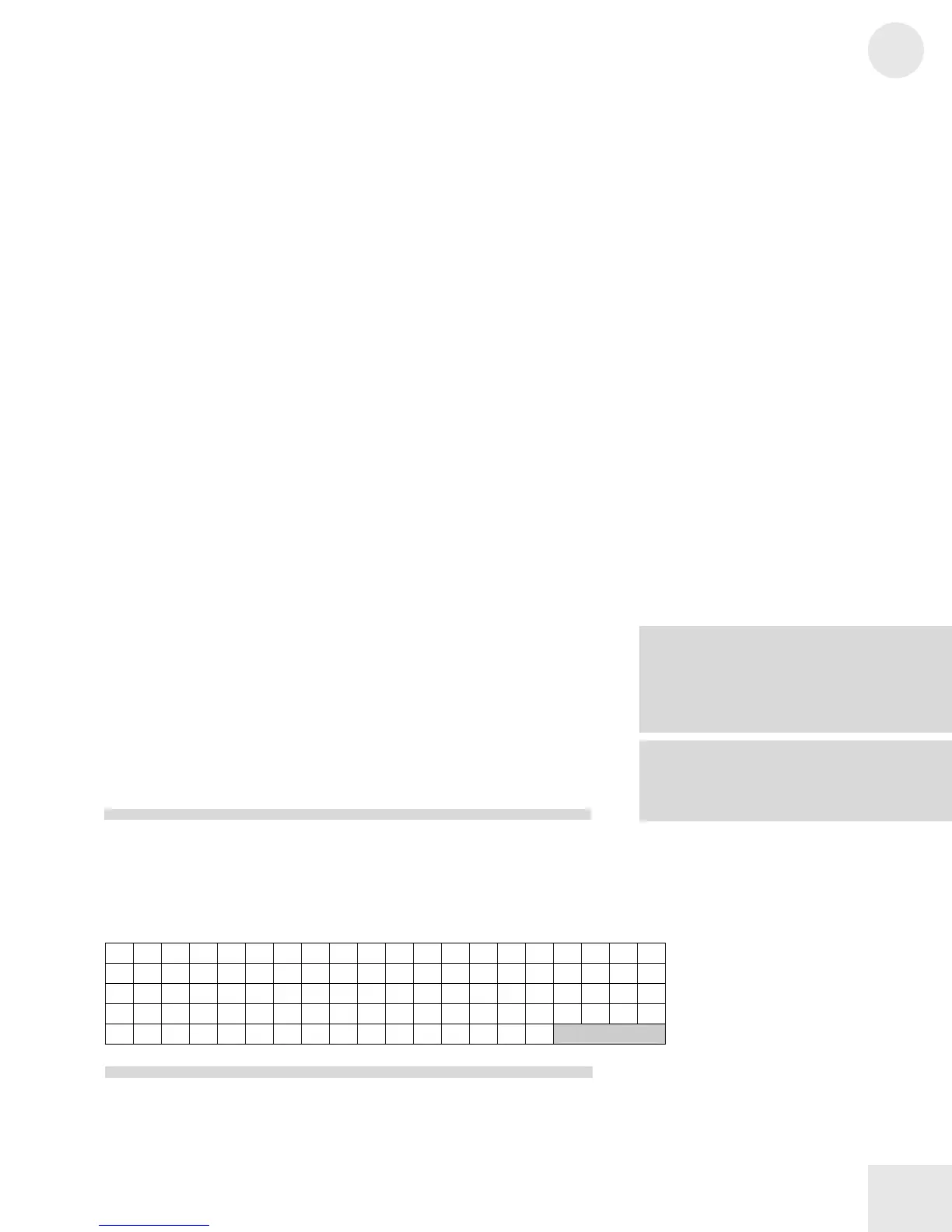
The Name function (button [120]) allows you to change the Program’s
name. Use the [PAGE] buttons to position the cursor. Here is a chart of
available characters:
! " # $ %
& ’ ( ) * + , - . / 0 1 2 3
4 5 6 7 8 9 : ; < = > ? @
A B C D E F G
H I J K L M N O P Q R S T U V W
X Y Z [
¥ ] ^ _ ` a b c d e f g h i j k l m n o
p q r s t u v w x y z { | } > <
he Env Level is already at 99, a
positive value for VEL>Level will have no
effect because it is already “maxed-out”. To
hear the full effect, the sum of the Env Level
and VEL>Level values should not exceed
NOTE: This setting is not available on the
Amplitude Envelope because there is a more
specific velocity curve setting in the



 To Next Page