19
Import tracks from another M4/M4GPS, via Bluetooth
Procedure :
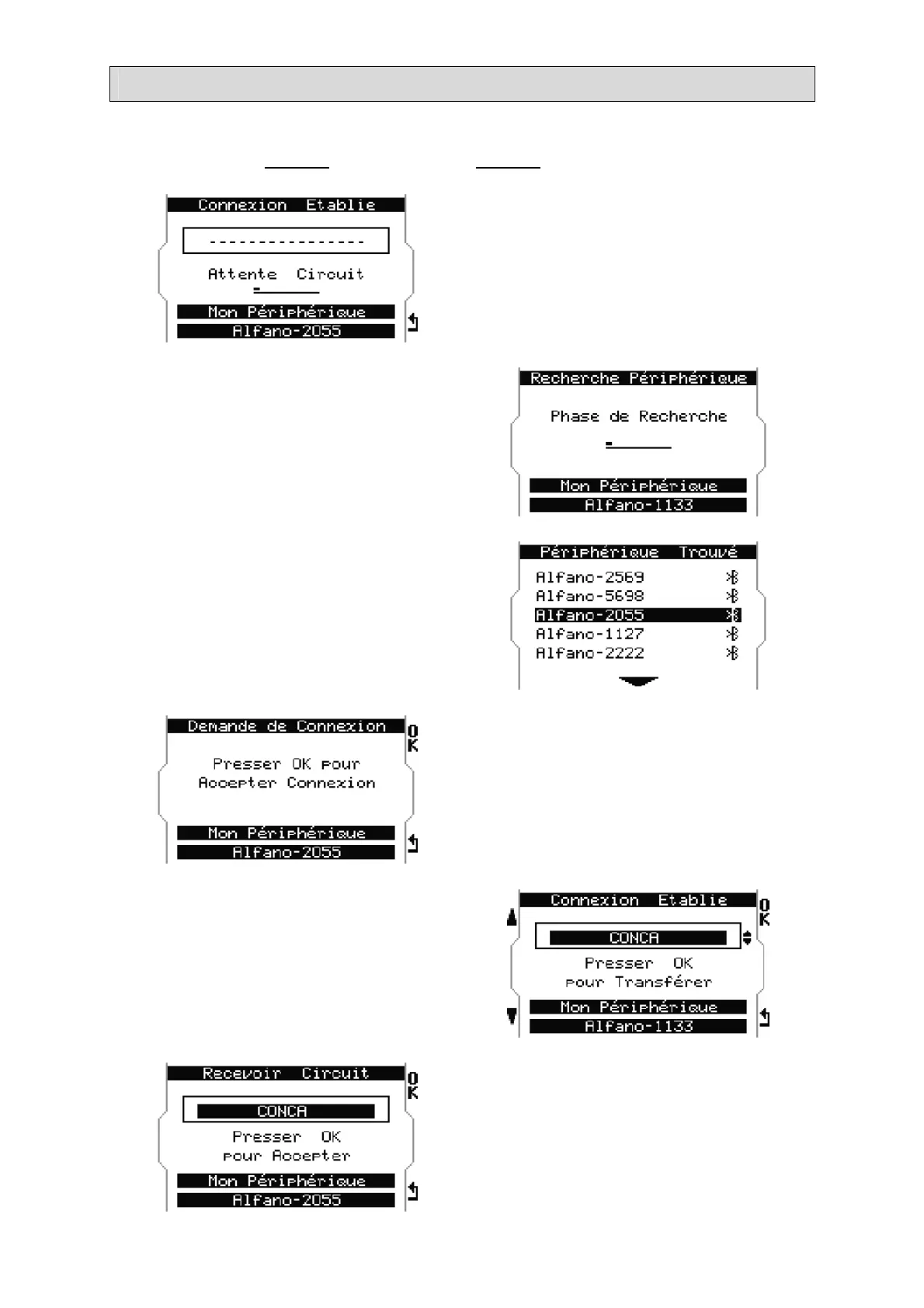
Device 1 receives the track, Device 2 sends the track
Device 1 : select « Receive » in the
menu« tracks ». The device is waiting for
connection.
Device 2 : select « Send » in the menu
« tracks ». The device is in search for
peripheral.
Device 2 found several M4/M4GPS and asks
for a specific connection with the « Device
1» called ALFANO-2055.
Device 1 accepts the connection with
« Device 2 ».
Device 2 chooses the track among those
recorded in its memory and confirms with
«OK».
Device 1 accepts the sent track.


 To Next Page