21
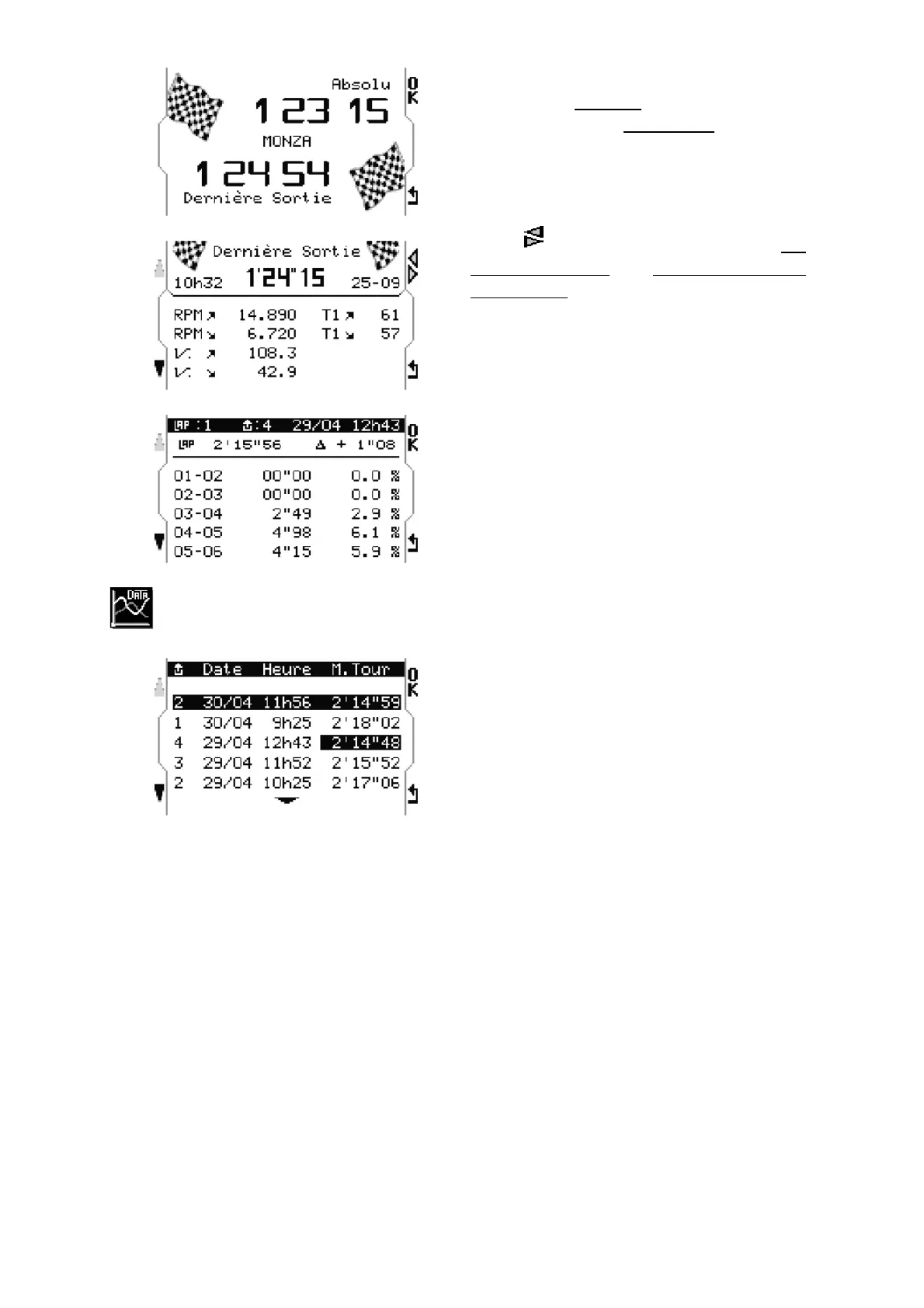
This menu shows in the first place :
- the best lap Absolute
- the best lap of the Last Session
Press «OK» for a preliminary analysis.
The upper-right button corresponding to
arrows allows commuting between the
best lap Absolute and the best lap of the
Last Session followed by their respective
data.
Maximum/minimum: RPM, SPEED, T1.
A pressure on the lower-left button :
displays the duration and the percentage of
RPM by section of 1.000 rpm for the
browsed lap.
Data
This menu shows all the sessions of the
track with the dates and times of recording,
as well as the best time of every session.
To go on with the analysis, press « OK » on
the session desired.


 To Next Page