20
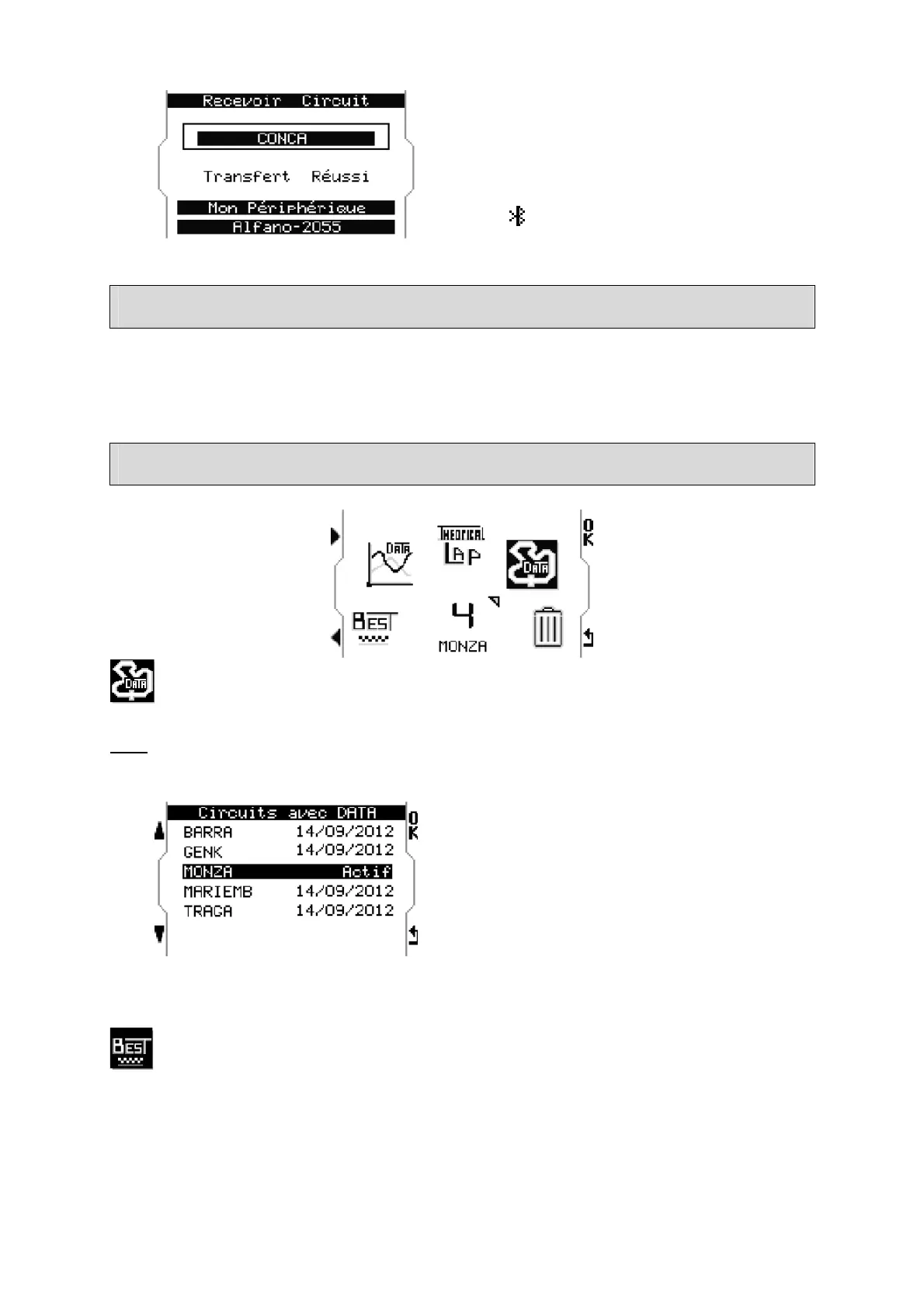
Device 1 indicates : Successful Transfer.
Note : tracks transferred between devices
by Bluetooth become identified by a small
icon
To start a timing session
Confirm the track shown in the welcome page. If wrong, select the adequate track in the
menu « tracks », then return to the welcome page and run on the track, the device
automatically starts a session from the detection of its starting point.
DATA
Select the track to be analyzed
Note :
The recorded data is listed by track for a logical coherence of analysis.
First select the track to be analyzed.
Tracks are displayed on a list with the date
of the last session recorded.
« ACTIVE » is the track selected by default.
Best


 To Next Page