24
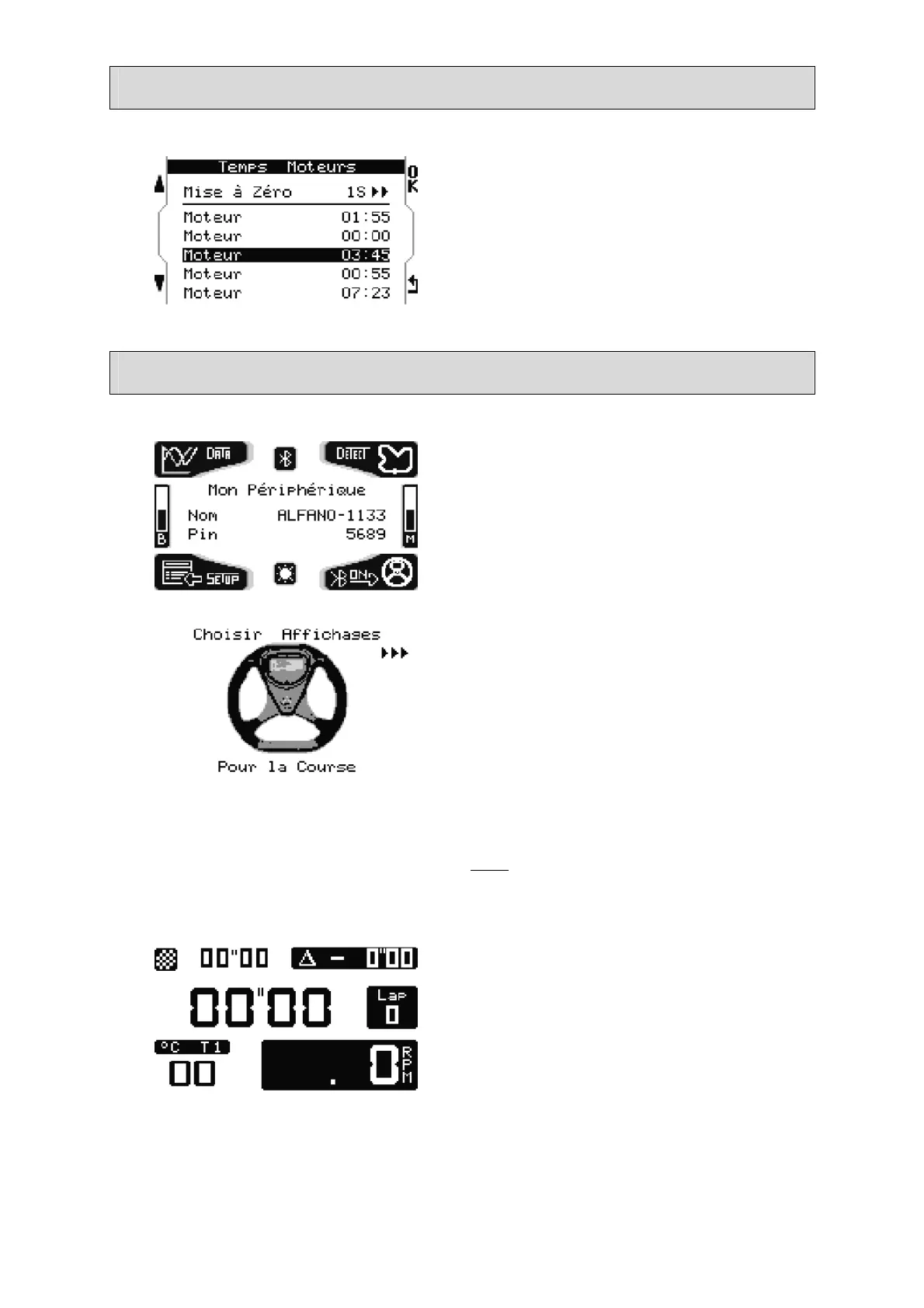
Running time meter
This menu shows the running time meter of
5 engines.
Press « OK » for 1 second to reset the
selected meter.
Bluetooth and Racing display
A pressure on the lower-right button of
welcome page activates Bluetooth, the
name of the peripheral and the pin
code/key displays. You will need this to
connect to your computer and download
your data. (See software manual for data
analysis on computer).
A second pressure on the lower-right
button of the welcome page activates the
choice of the display in race mode.
There are several different displays. A
pressure on the upper right button makes
the various displays scroll.
A pressure on the lower left button or a
wait of 5 seconds confirms your display by
default.
Note : it will be also possible to change the
display while running on the track, with
the same button.
Displays best time absolute, split lap
time/best time absolute, lap time, number
of lap, temperature T1 and RPM.


 To Next Page