9
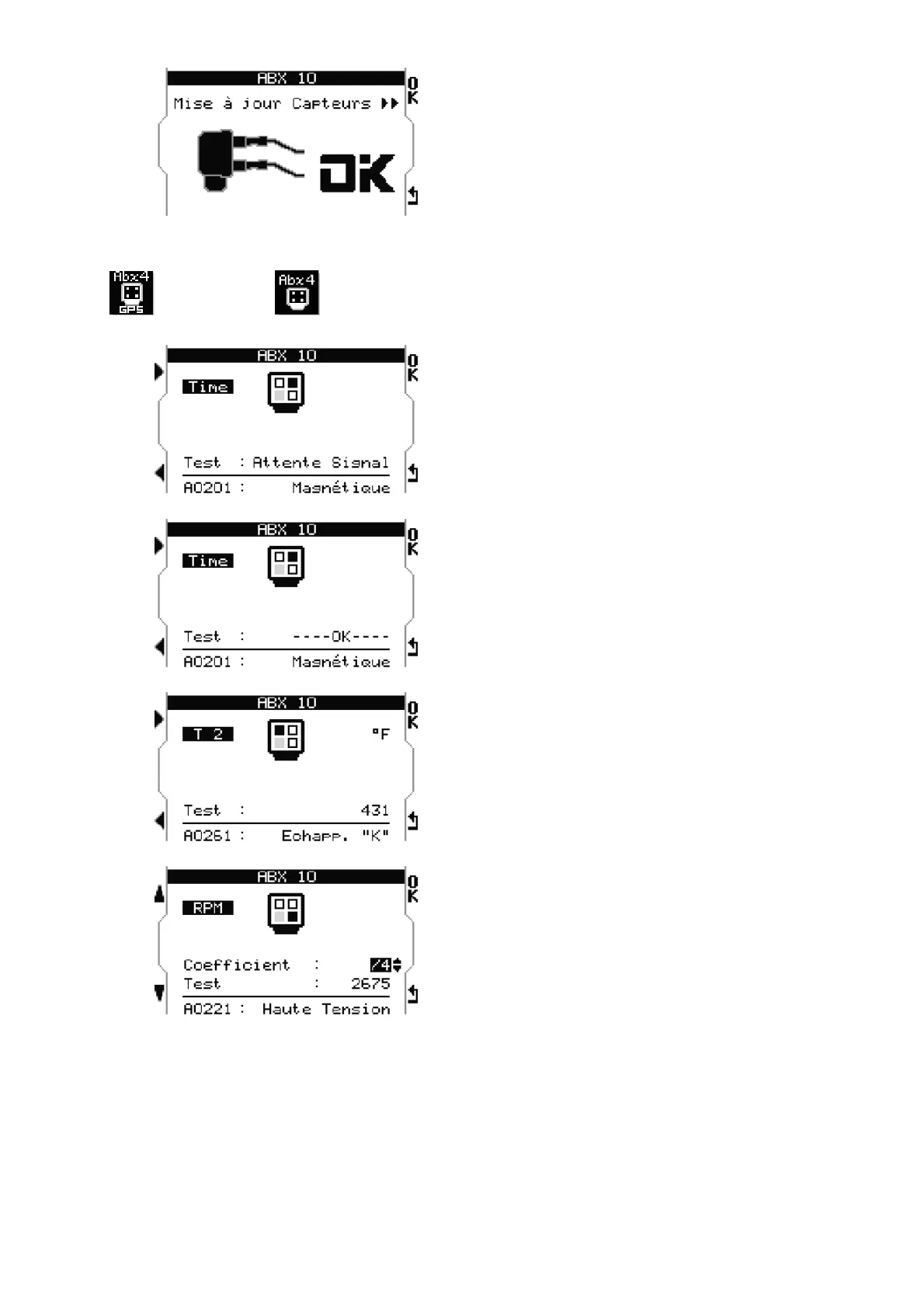
Press «OK» : once updated, «OK» is
displayed.
Note : During any modification of sensors
connected to the box, whether it is new,
replacement, or a disconnection, it is
necessary to proceed to an update.
M4GPS M4
BOX, sensor functionality check
Allows you to check the connected sensors
one by one, to make sure they are
functioning correctly. Use left arrows to
navigate from one sensor to the other.
Type of sensor and ALFANO part number
are displayed at the bottom of the screen.
a) To test the magnetic sensor : cross a
magnet near the sensor; «OK» must
be displayed.
b) Temperature : Warm the sensor; the
temperature must rise.
c) RPM : Start the engine, a value
displays,
d) adjust the coefficient of
multiplication to match the type of
engine(ex : two stroke or four
stroke)


 To Next Page