Manual
TIMY3 - General
Page 16
6 TIMY3 Update
Please visit our homepage www.alge-timing.com for a free update for your TIMY3 software.
6.1 Update with Cable 205-02
• log into the internet
• choose language
• click on „download“ in the left column
• click on „ALGE devices software (Flash Technology)“
• if not installed yet, download “Install Manager”
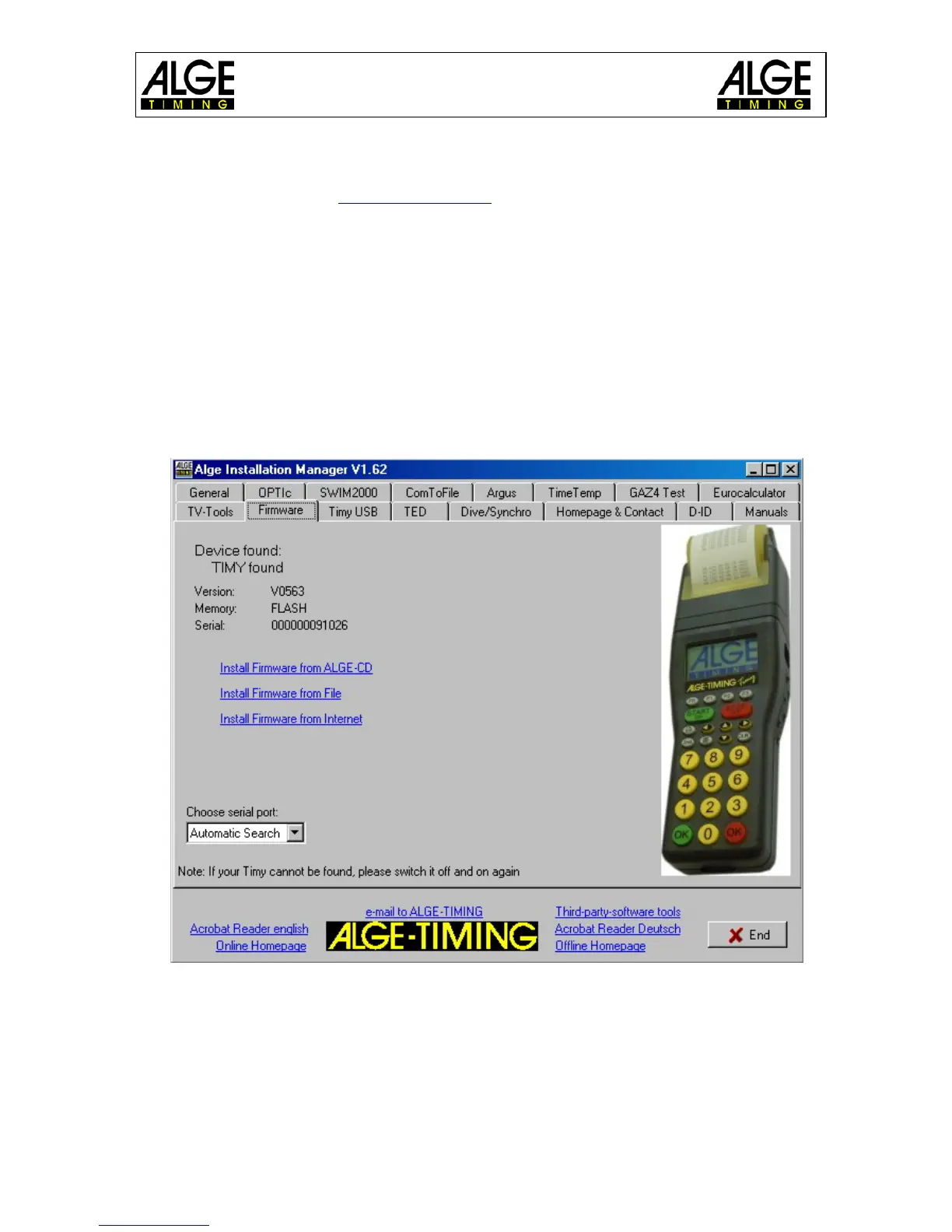
• open Install Manager and connect TIMY3 with cable 205-02 to the computer
• click on “firmware RS232” in the Install Manager
• the firmware automatically searches for the TIMY3
• switch on the TIMY3
• as soon as the firmware recognizes the TIMY3, the following is displayed
• Choose a method of updating the TIMY3. Recommendable is an internet update as the
latest version is always available.


 To Next Page