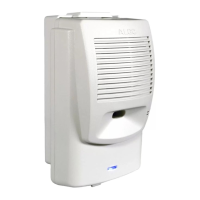
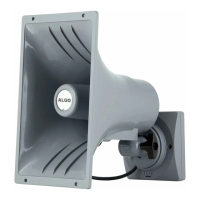
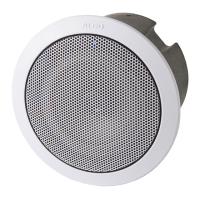
8198 SIP Ceiling Speaker PoE+
Document 90-00109 Algo Communication Products Ltd (604) 454-3792
2020-09-21 4500 Beedie St Burnaby BC Canada V5J 5L2 support@algosolutions.com
Page 2 www.algosolutions.com
Table of Contents
Table of Contents .................................................................................................................. 2
Important Safety Information ................................................................................................ 4
Overview ............................................................................................................................... 7
Introduction ...................................................................................................................................7
Setup and Installation ............................................................................................................ 9
Getting Started - Quick Install & Test ..............................................................................................9
Ceiling Installation ........................................................................................................................ 10
Air Handling Spaces UL2043 .......................................................................................................... 11
Suspended Installation ................................................................................................................. 11
Wiring Connections ............................................................................................................. 11
Connecting Input Devices ............................................................................................................. 12
Connecting 1198 satellite speakers (One 8198 with up to three 1198) ............................................ 13
Reset............................................................................................................................................ 14
Programming and Configuration ................................................................................................... 14
Features .............................................................................................................................. 15
SIP Paging: One 8198 (with or without Satellites) .......................................................................... 15
SIP Ring Event .............................................................................................................................. 15
Multicast Overview ...................................................................................................................... 15
SIP Paging: Multiple Algo SIP Endpoints (Using Multicast) .............................................................. 16
SIP Paging: Multiple Speakers (Using Individual SIP extensions) ..................................................... 16
SIP Activated Notification Alerts ................................................................................................... 16
Background Music Streaming ........................................................................................................ 17
Polycom
TM
Group Paging .............................................................................................................. 17
TLS for SIP Signaling and Provisioning............................................................................................ 17
Web Interface Status and Login ........................................................................................... 21
Web Interface Login ..................................................................................................................... 21
Status .......................................................................................................................................... 22
Web Interface Basic Settings ................................................................................................ 23
Basic Settings Tab – SIP ................................................................................................................. 23
Basic Settings Tab – Features ........................................................................................................ 25
Basic Settings Tab – Multicast ....................................................................................................... 27
Basic Settings Tab – Multicast (Slave Settings) ............................................................................... 31
Web Interface Additional Features....................................................................................... 33
Additional Features Tab – Input/Output........................................................................................ 33
Additional Features Tab – Emergency Alerts .................................................................................. 37
Additional Features Tab – More Page Extensions ........................................................................... 39
Additional Features Tab – More Ring Extensions ........................................................................... 40
Web Interface Advanced Settings ........................................................................................ 41
Advanced Settings Tab – Network ................................................................................................. 41


 To Next Page