AlgoForce E1500
11
User Settings
Audio Volume: Modify by pressing the Vol/Vibration buttons.
Vibration: Adjust by holding the Vol/Vibration buttons.
Pinpoint mode has separate volume and vibration controls from the main detection mode.
Backlight Level: Control by pressing the Backlight Adjust button.
Sensitivity: Modify in the Main Detection UI or the Pinpoint UI using the Minus and Plus buttons.
To adjust other settings:
1) Press Right/Auto GB in the Main Detection UI to access the menu.
2) Navigate with Left/Pinpoint or Right/Auto GB.
3) Modify selected setting with Minus or Plus.
4) Press Return/Auto FS to go back to the Main Detection UI.
Adjust Sensitivity so that the peak of the Real-time Scrolling Detection Signal is
close to the Detection Threshold when there is no target.
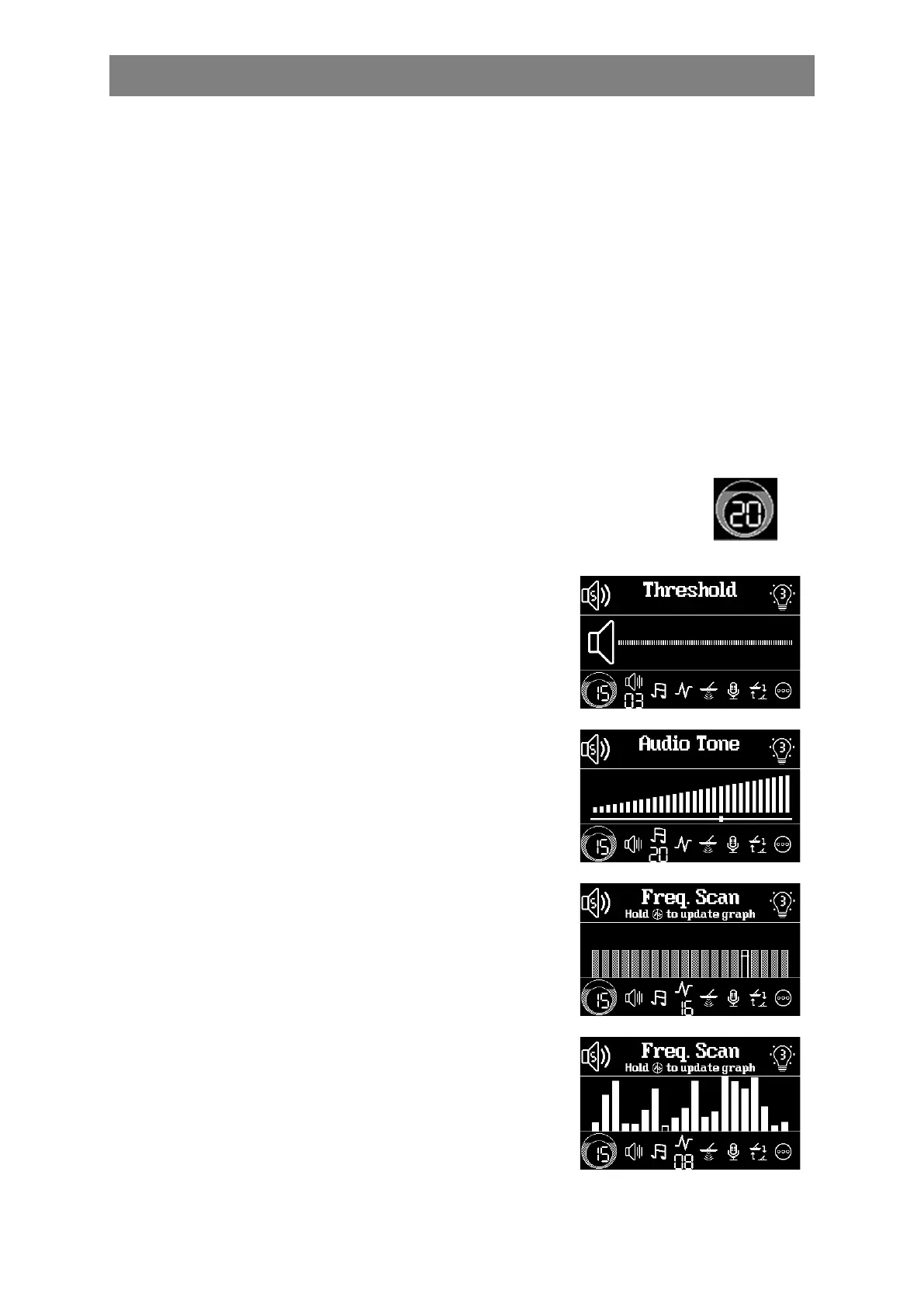
Audio Threshold adjusts the volume of the constant
background hum added to the detection audio. It's
recommended to set it to a level that's just barely audible.
The Audio Tone setting adjusts the frequency of the constant
background hum added to the detection audio. The tone can be
set according to personal preference.
The real-time noise level of the selected frequency and the past
noise levels from the last Auto FS are displayed in a graph for
convenient manual frequency selection. If Auto FS hasn't been
run since a factory reset, the past noise levels are displayed as
gray bars of equal height. To choose a relatively quiet
frequency with a low noise level, press Minus or Plus.
Electromagnetic interference often changes. The past noise
levels from the last Auto FS may not accurately reflect the
current real-time noise levels. If necessary, hold the
Return/Auto FS button to update the past noise level to the
current real-time noise level.



 To Next Page