Need help?
Do you have a question about the AlgoForce E1500 and is the answer not in the manual?
Details the function of each button on the control panel for operation.
Explains various indicators shown on the LCD screen during operation.
Highlights patented Ultra-Fine Pulse Induction and ambient sound awareness.
Describes dual ground balanced channels and display themes.
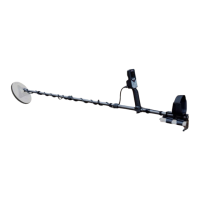
Lists all items included in the AlgoForce E1500 BASIC Package.
Guides on connecting the control box to the stem and attaching the arm strap.
Details how to install and secure the powerbank and USB cable.
Explains how to extend rods, attach the coil, and secure the coil cable.
Covers connecting the coil connector and optional headphone to the control box.
Instructions on releasing locks, collapsing rods, and rotating the coil for storage.
Explains how to adjust volume, vibration, backlight, and sensitivity.
Guides on navigating the menu to adjust various detector settings.
Describes how to perform a factory reset by holding specific buttons.
Explains how to perform an Auto Frequency Scan to eliminate interference.
Details the process of performing Auto Ground Balance to eliminate ground response.
Provides guidance on coil swing technique and monitoring ground drift.
Explains how to enter and use Pinpoint mode to locate targets precisely.
Guides on obtaining and interpreting conductive target ID for target assessment.
Describes how to turn off the transmitter to avoid interfering with pinpointers.
How to adjust audio volume, vibration, and audio threshold settings.
Guides on setting sensitivity and audio tone for optimal detection.
Explains using Frequency Scan to select a quiet frequency and reduce interference.
Details the four distinct detection modes for various conditions and targets.
How to adjust the microphone volume for ambient sound awareness.
Explains how to select, edit, and calibrate coils for the detector.
Accessing information like power supply, firmware, and performing factory resets.
Instructions for downloading the AlgoDownloader and USB driver.
Step-by-step guide on connecting the device and using AlgoDownloader to upgrade.
Actions to take after a successful software upgrade, including factory reset.
How to submit feedback, bugs, and feature requests to AlgoForce.
Essential precautions for safe operation, maintenance, and handling of the detector.
Details regarding the detector's compliance with electromagnetic compatibility standards.
Conditions and process for returning items due to a change of mind.
Guidelines for returning faulty, unacceptable, or incorrect products.
Explains the 2-year warranty on control box, stem, and arm cuff, and exclusions.
Steps to follow for obtaining repair or warranty service, including contact and shipping.
Lists key technical details such as technology, frequency, LCD, weight, and power.
Provides recommendations for specific coils and their applications.
Details changes made to long key press activation and volume/vibration controls.
 General
| Brand | AlgoForce |
|---|---|
| Model | E1500 |
| Category | Metal Detector |
| Language | English |


 To Next Page