AlgoForce E1500
14
Software Upgrade Instruction
Upgrade the AlgoForce E1500 software for free by following these steps:
First-time upgrades: download the AlgoDownloader from
https://algoforce.com.au/pages/downloads.
Download the latest software binary file from
https://algoforce.com.au/pages/downloads.
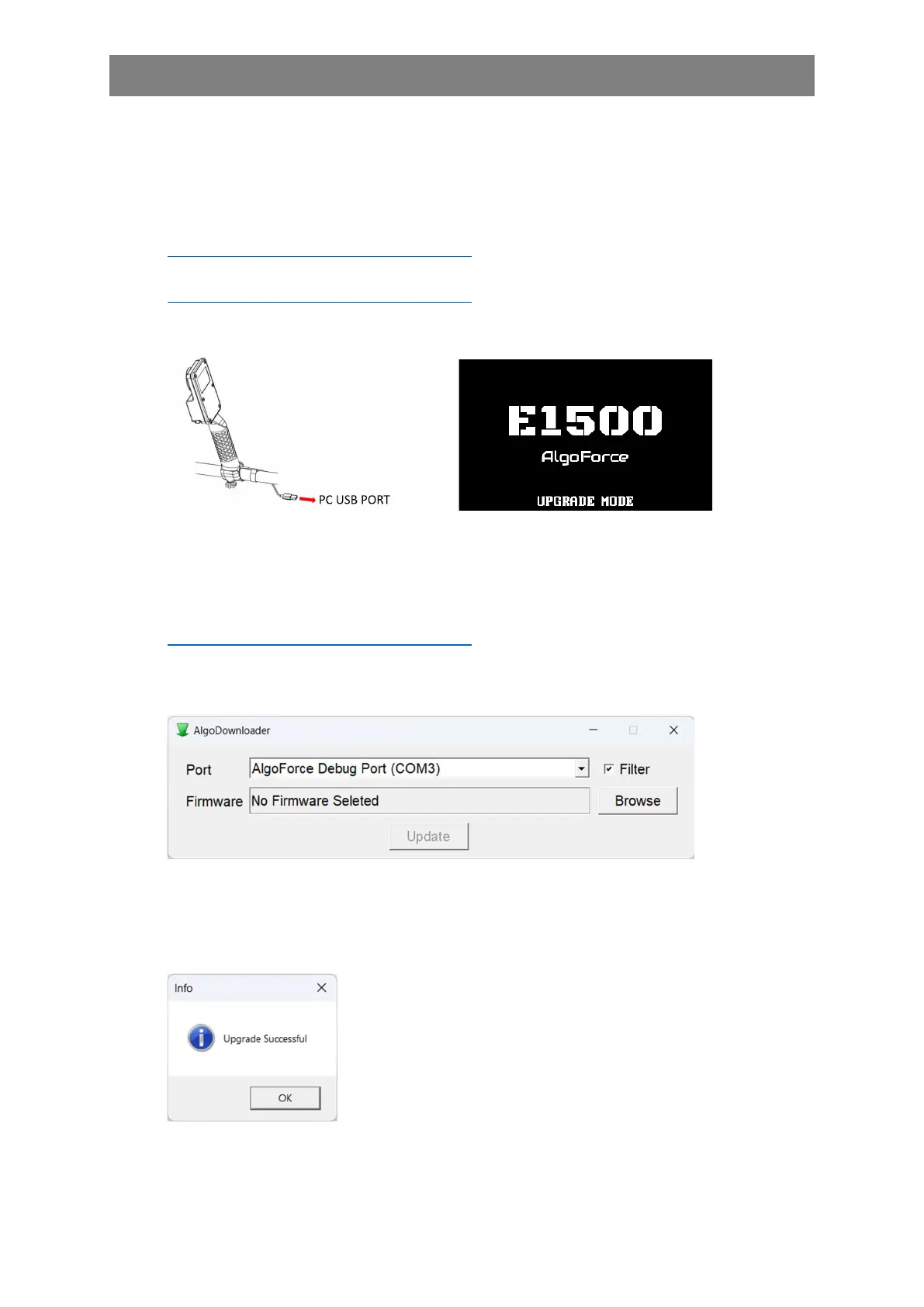
Turn off the control box. Connect it to your PC with a USB cable.
Turn on the control box and it will automatically enter upgrade mode.
Open AlgoDownloader and choose the appropriate port from the dropdown list. The 'Filter'
option is selected by default, displaying only AlgoForce ports in the list. (Note: If the USB
device driver is not already installed on your PC, the AlgoForce port will not be displayed. In
this case, download the USB device driver (Driver.zip) from
https://algoforce.com.au/pages/downloads and then follow the instructions in README.TXT
in the zip file to install it.) Click 'Browse' to select the downloaded firmware binary file, and
then click 'Update' to initiate the upgrade process (which takes approximately 10 seconds).
Note: The port number may vary on different PCs. Incorrect port selection will result in an
upgrade error.
Once the upgrade is complete, a window will pop up displaying 'Upgrade Successful.' After
that, disconnect the control box from the PC.
Connect the power bank to the control box and turn it on. Perform a factory reset.



 To Next Page