CHAPTER 3 RFID TAG READER
ALR-H450 USER GUIDE
DOC. CONTROL #8102146-000 REV A
Inventory Utility
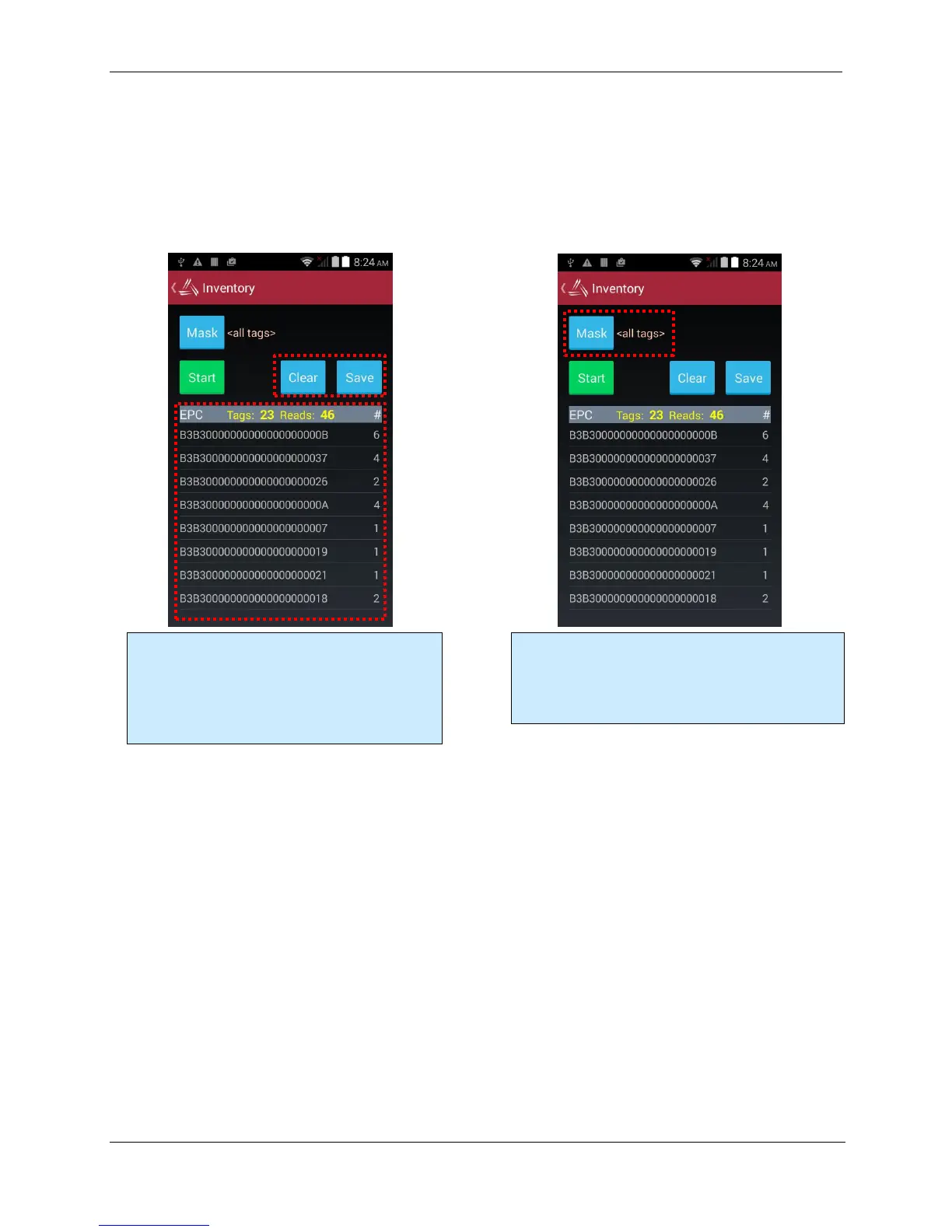
The Inventory utility allows you to scan all of the tags within range of the reader, and see each tag’s
EPC and read count in a scrollable list. You start and stop the inventory utility by either holding the
pistol-grip trigger button, or by clicking once on the green Start button. The reader continues to read
tags until you release the trigger or click the Stop button. Click the OK button at the bottom-right
corner to return to the main screen.
Geiger Tag Utility
The Geiger Tag utility is designed to assist you in finding the location of a particular tag, or one of a
group of tags. It does this by measuring the returning signal strength (RSSI) from the tag, and
displaying this information on the screen, along with an audible and vibratory queue. As you pass
the reader near a tag, the RSSI increases, and you will see and hear the change.
To start the Geiger Tag search, either hold the pistol-grip trigger button, or click once on the green
Start Search button. The reader continues to read tags until you release the trigger or click the Stop
button. Click the red Close box at the top-right corner to return to the main screen.
Clicking the Mask button at the top of the Inventory
screen takes you to a page where you can specify a
subset of tags to read (see the Tag Mask section). This
powerful feature causes the reader to only read the
tags you want it to read – those selected by the mask.
Each tag that is read is added to the scrolling list,
along with the count for each tag. The number of
unique tags and total number of reads is displayed.
You can clear and save the list with the buttons
above the list.



 To Next Page