RFID TAG READER CHAPTER 3
ALR-H450 USER GUIDE
DOC. CONTROL #8102146-000 REV A
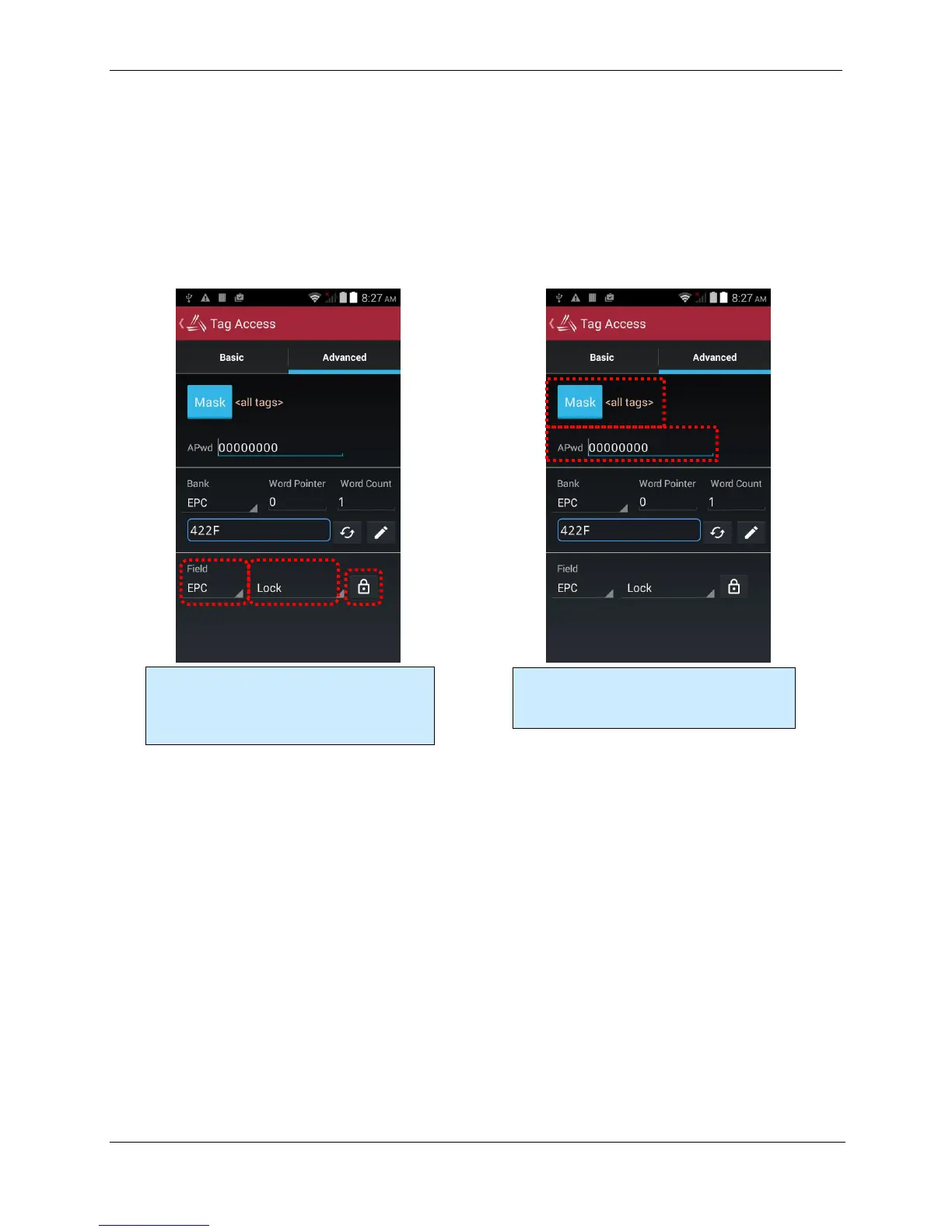
When locking, you have the option of locking the Access Password and Kill Password (both in the
Reserved bank) separately, so the Lock command has a list of tag memory fields instead of banks.
The other parameter is the type of lock: Lock, Unlock, PermaLock, and PermaUnlock. All locking
operations require you to confirm by clicking OK to an alert message. The “Perma” options are,
well, permanent, so use caution.
Locking a field doesn’t immediately protect it until you also write a non-zero Access Password to
the tag (and you should probably lock that field as well!). Please refer to the EPC Gen2 Protocol
Specification for complete details on how the various locking operations affect the tag’s behavior.
Tag Mask
When the application first launches, it is configured to look for and report every tag it sees. You
don’t always want to read every tag – perhaps you are searching for only one class of product, or
are trying to access one particular tag in order to write data to it. The Gen 2 protocol provides for
something called a select mask - a filter definition that is broadcast to all of the tags in the field
before each operation, that specifies which tags are allowed to participate in that operation.
The ALR-H450 allows you to specify a tag mask, which is used transparently in each of the utility
screens. The current mask is displayed at the top of each screen near the Mask button. Each utility
has its own mask, so use caution when switching from the Inventory to the Geiger to the Tag
Access screens.
At its heart, a tag mask defines a piece of data that must match exactly a specific portion of the tag’s
memory. This includes the memory bank (not just the EPC bank), a pointer offset into that bank,
and the actual hex data to match against.
When locking, specify the field to lock, the lock
type, then click the Lock button. You will be
given a chance to change your mind before
performing a lock operation.
Just like on the Basic Access screen, you have
full access to the tag Mask and current Access
Password in this screen.



 To Next Page