CHAPTER 3 RFID TAG READER
ALR-H450 USER GUIDE
DOC. CONTROL #8102146-000 REV A
Tag Mask – Presets
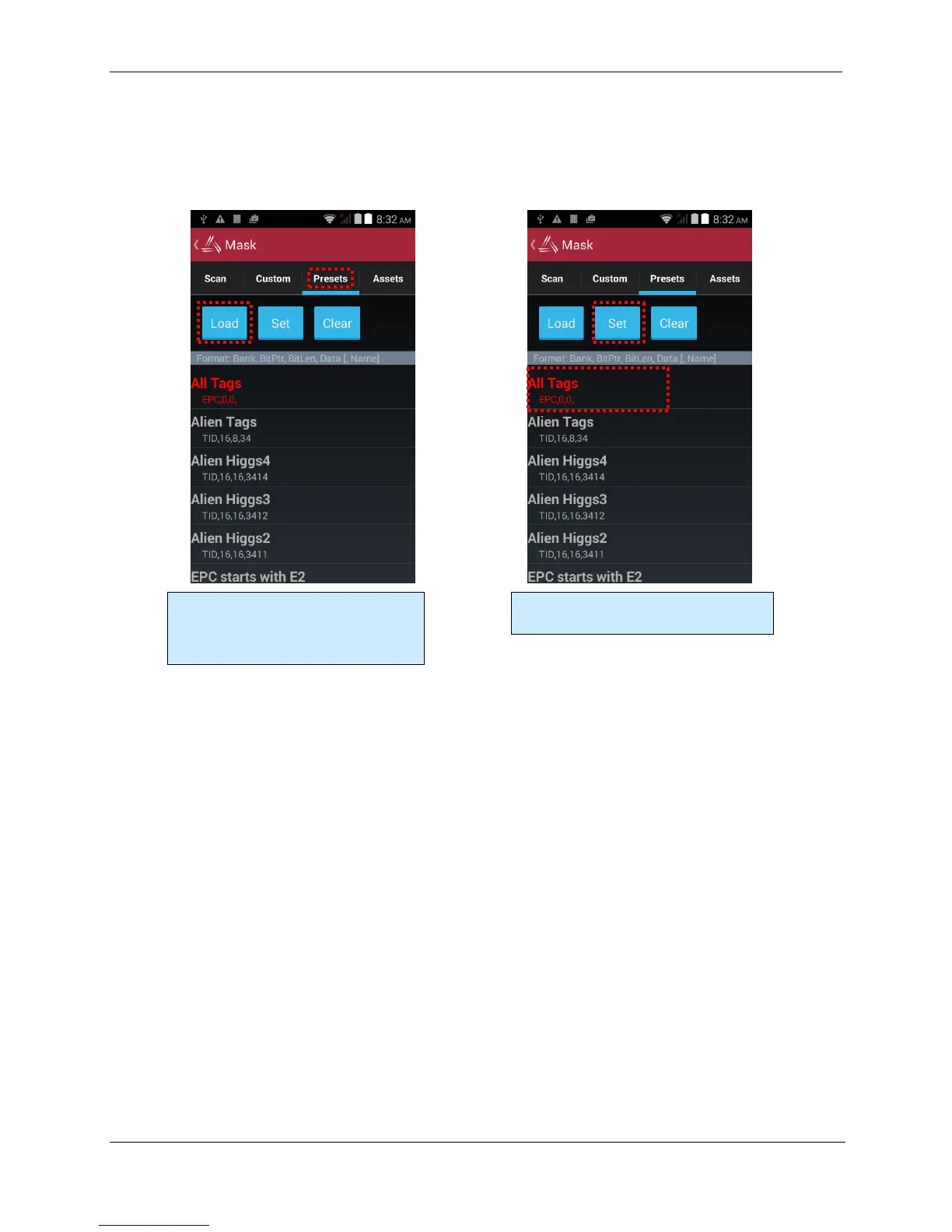
The third way to set a tag mask is with the Presets tab. This screen can show a list of pre-defined
tag masks, such as “all tags”, “all Higgs3 tags”, etc. You’ll need to create a list of your own, and then
load it into the app.
To use your own list of mask presets, just create a text file that you can access with the Load
button. Each line of the mask presets file should contain the bank number, bit pointer, but length,
mask data, and an optional preset name – all separated by commas. For instance, a presets.txt file
might look like this:
1, 32, 32, FEEDFACE, ff
1, 32, 32, DEADBEEF, hamburger
1, 32, 32, BEEFCAFE, lunch
Click the Load button to read your mask
definition file (see below). The list of
defined masks appears in the main part
of the screen.
Click one of the defined masks to select it,
and then click the Set button.



 To Next Page