RFID TAG READER CHAPTER 3
ALR-H450 USER GUIDE
DOC. CONTROL #8102146-000 REV A
Tag Mask – Custom
The Tag Mask “Custom” tab allows you to define an arbitrary mask on any portion of a tag’s
memory, or a simpler “EPC Prefix” mask.
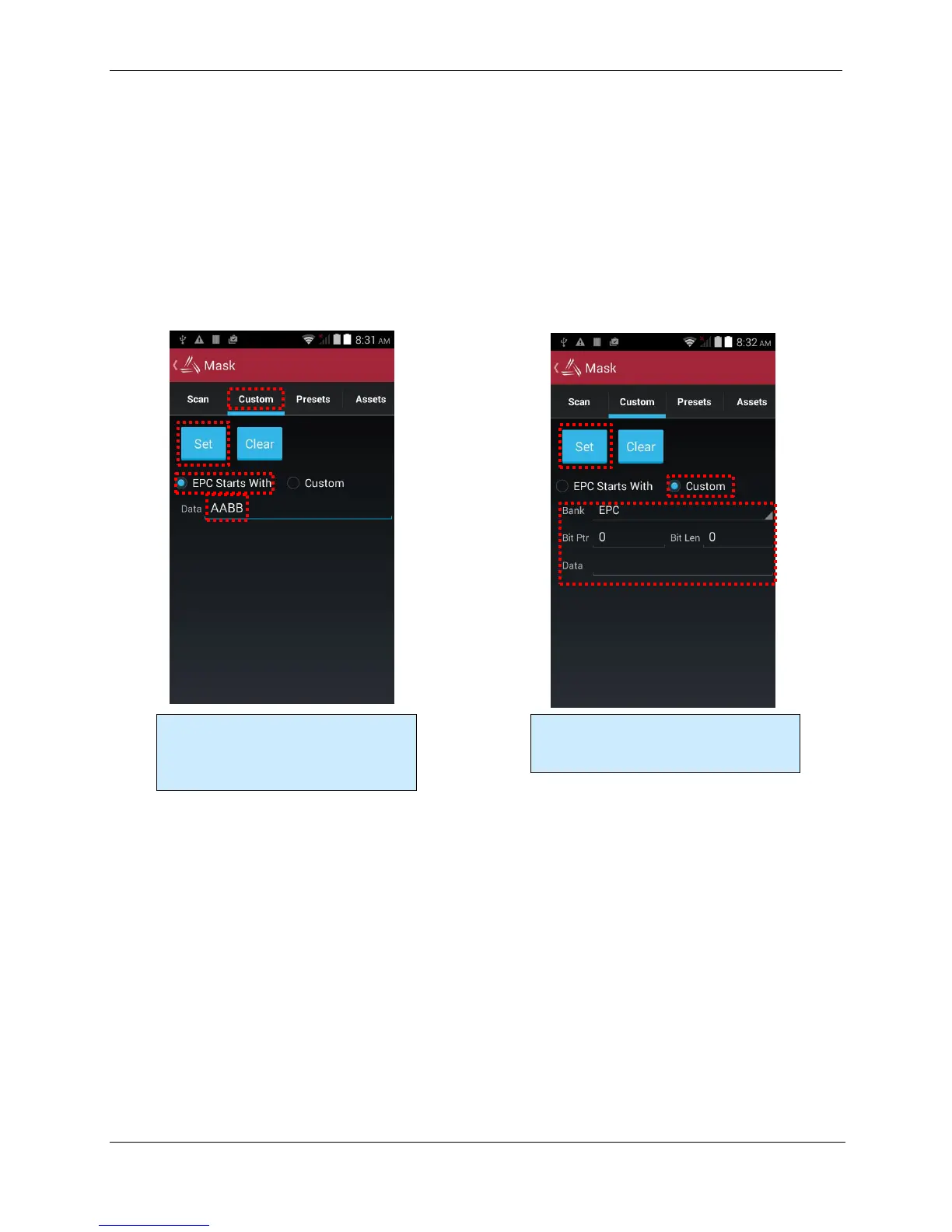
The middle section is where you actually define your mask. There are two options here: create a
mask based on an EPC prefix (i.e. “all tags starting with…”), or create an arbitrary custom mask. If
you select EPC Starts With, the only thing you have to provide is the hex data representing the
initial part of the EPC code for your tags (the other controls are disabled). If you select Custom, you
choose the bank and pointer offset, along with the mask data. Click the Set button to define your
mask.
Defining a mask based on an EPC prefix is
easy – just click the “EPC Starts With”
radio button, enter the EPC data and click
the Set button.
Defining a custom mask requires you to
specify the bank, bit offset, and bit length
of the mask, along with the data.



 To Next Page